For digital product sellers, freelancers and anyone who knows a local business owner
Sell real business software under your own brand, without writing a line of code
Offline Apps Fortune gives you 5 finished offline apps for party rentals, home bakers, pet sitters, small landlords and pressure washing crews. Put your own name, logo and accent color on each one. Then sell it in your own store, or offer it to local owners who want their bookings, money and paperwork in one place, paid for once.
- 5 working apps, one per trade. Each is a single file that opens in Chrome, Edge or Firefox on Windows or Mac.
- A rebrand tool inside every app. Your product name, logo, accent color, font and support contact, then one click to download your branded copy.
- A reseller license. Sell the branded apps as your own product, at the price you choose. We take no cut of your sales.
- Offline by design. No account, no server and no monthly fee, for you or for your customers.
- A listing kit for each app: 10 images made from its real screens, the listing text and a 15 second promo video.
- Seller guides and 4 bonuses: how to rebrand, how to sell, outreach scripts, a pricing sheet, an onboarding checklist and a demo day script.
One payment of $17. 30 day money back guarantee.
Secure checkout through WarriorPlus. 30-day refund, see the policy.
- Secure checkout through WarriorPlus
- 30 day money back guarantee
- Try every app in a live demo before you buy
True numbers, counted on our own build
- 20apps built on one shared engine in this version
- 4,500+automated tests on the engine and the 5 apps in this offer
- 0internet connections made by any app
- 4browsers in our automated test runs
- 10daily snapshots, plus an automatic backup file in Chrome and Edge
- 20steps of undo, and 30 days in the trash for anything deleted
The apps
One real screen from each app
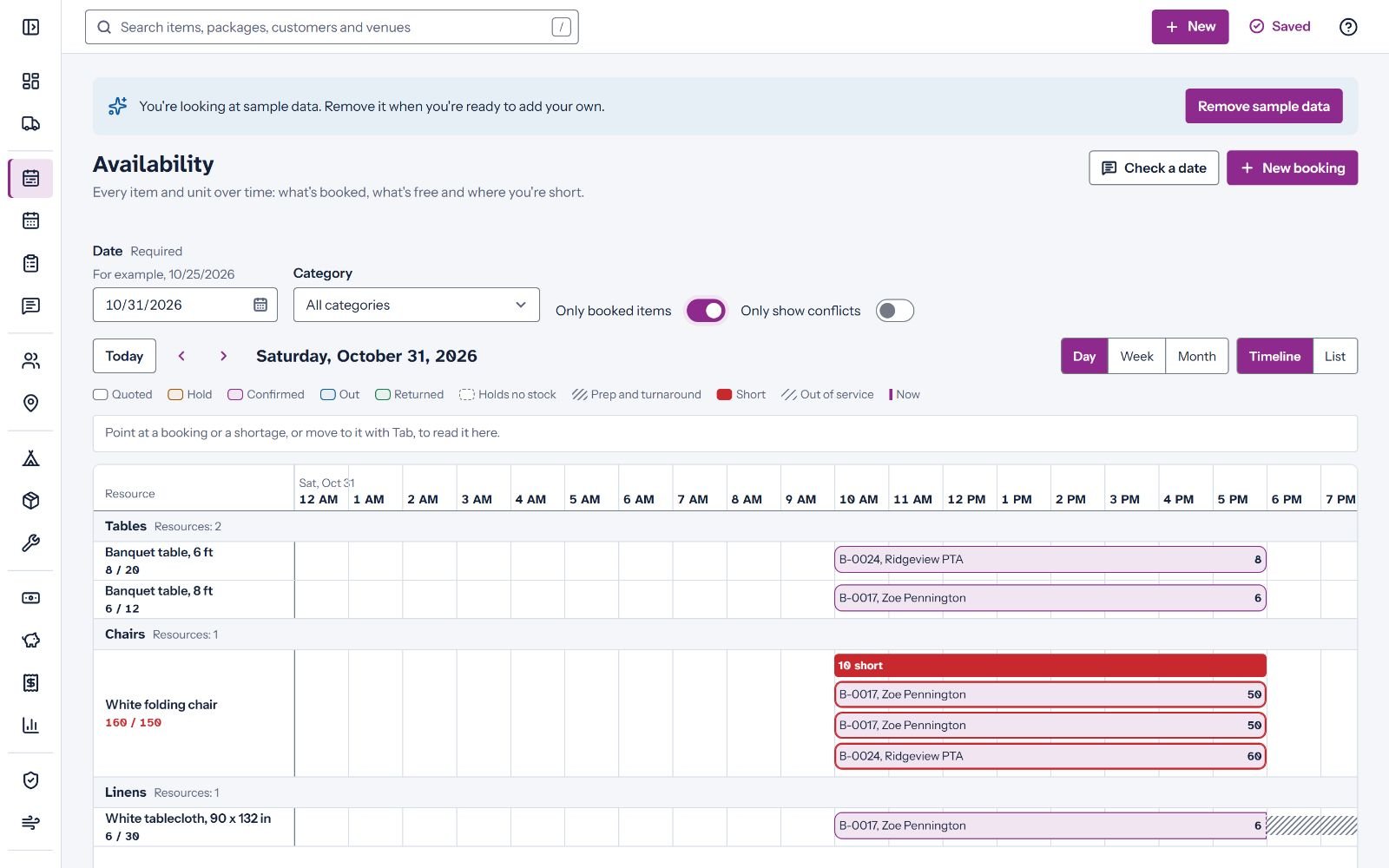
PartyHire Pro: availability timeline 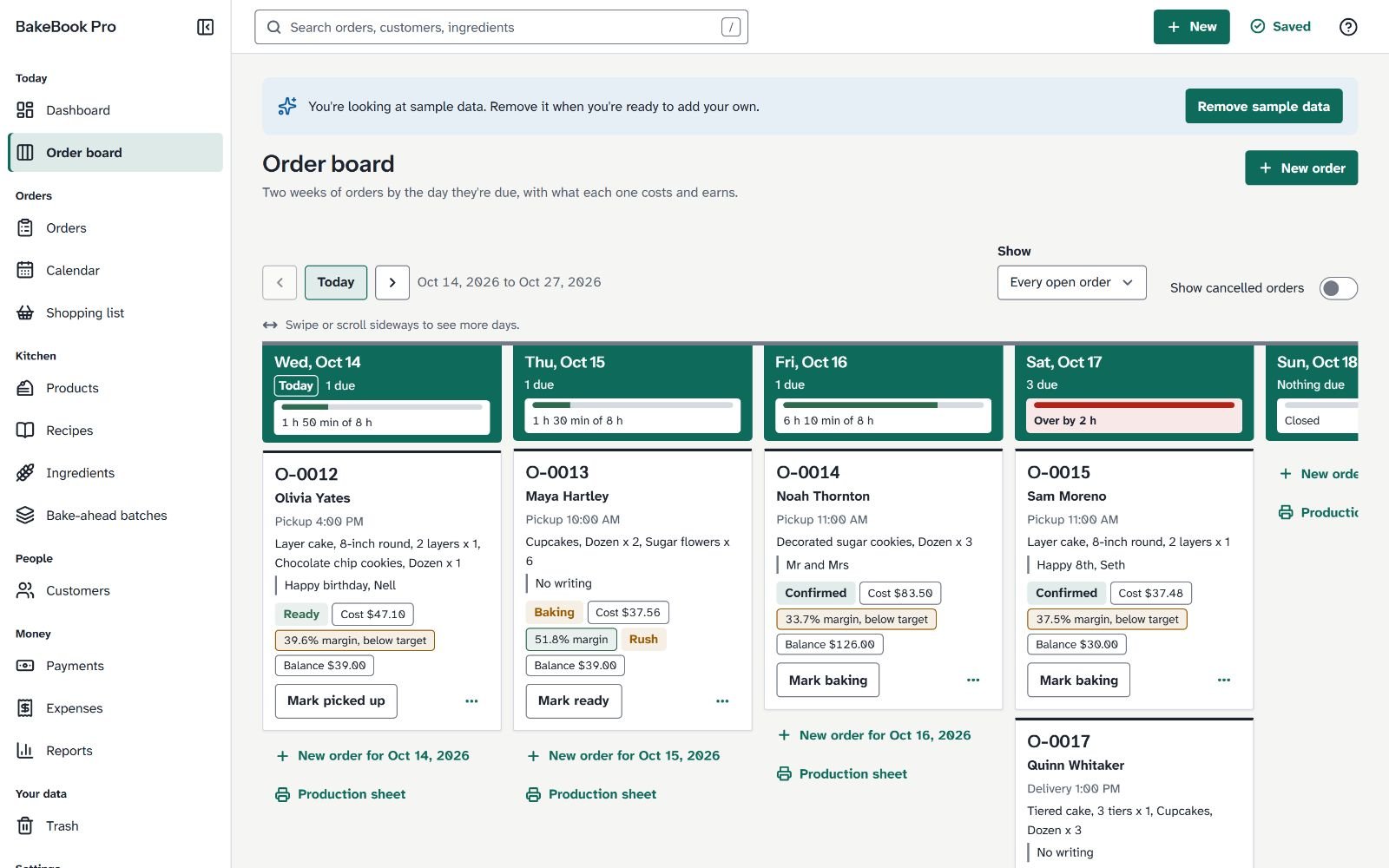
BakeBook Pro: order board 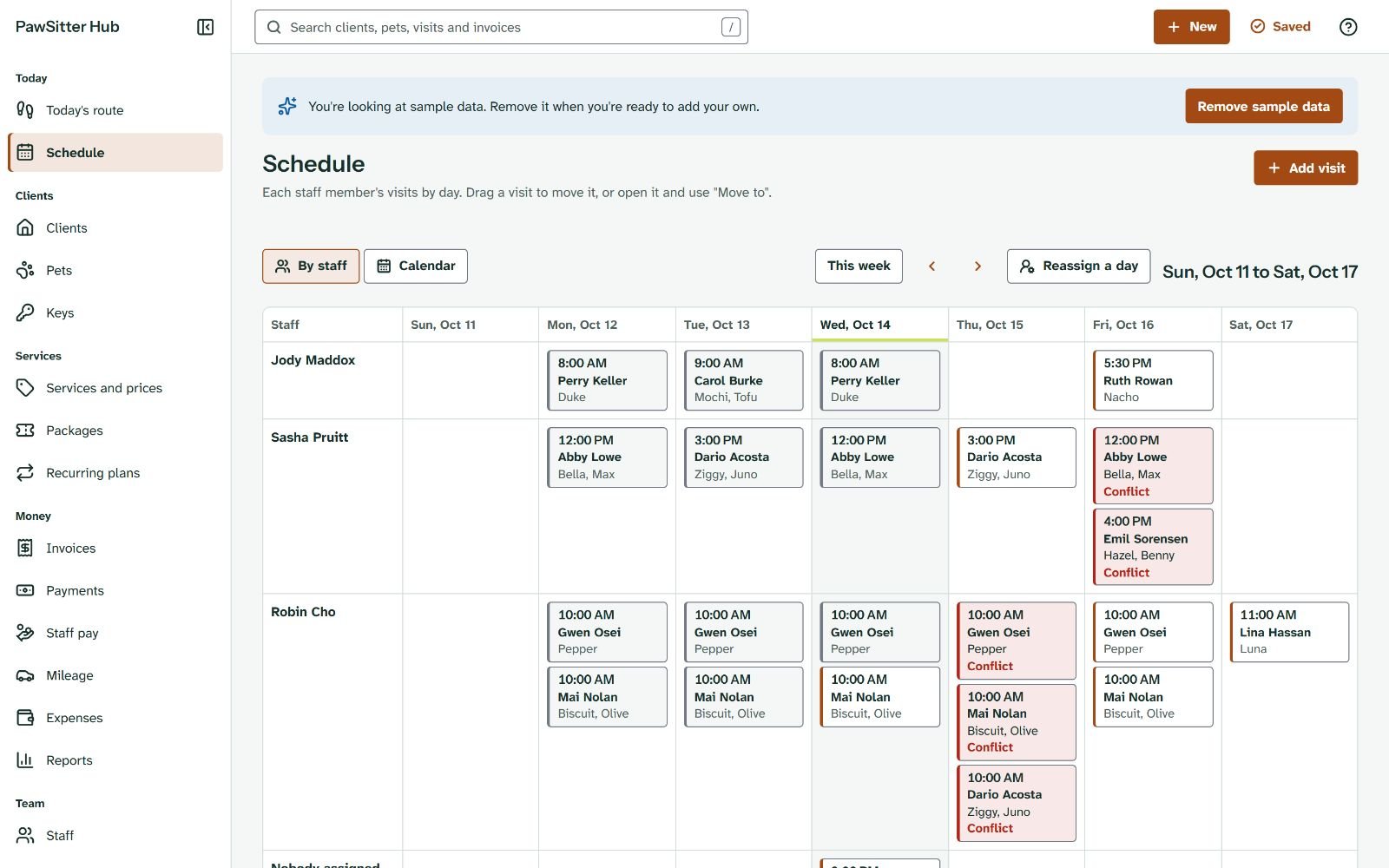
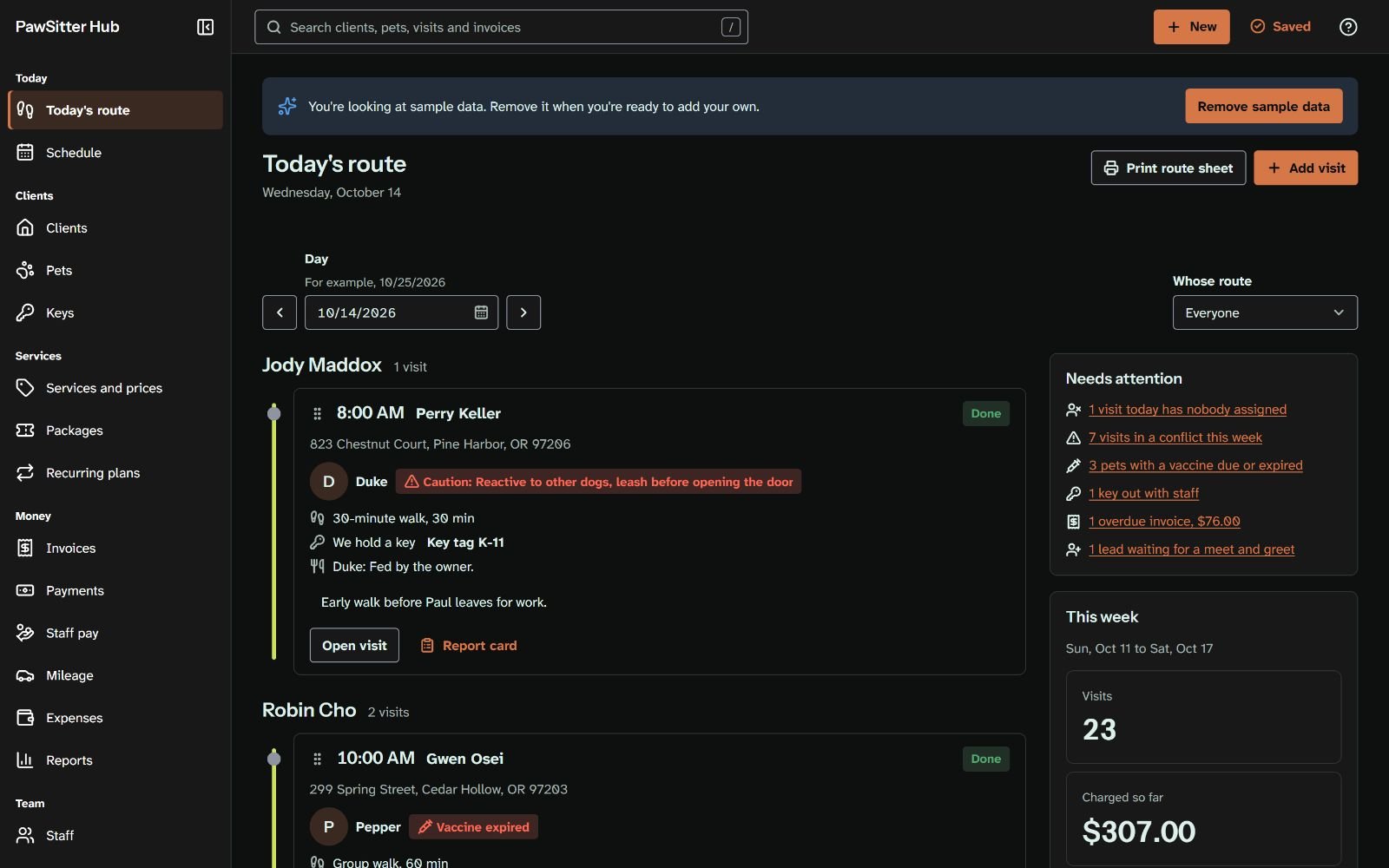
PawSitter Hub: schedule 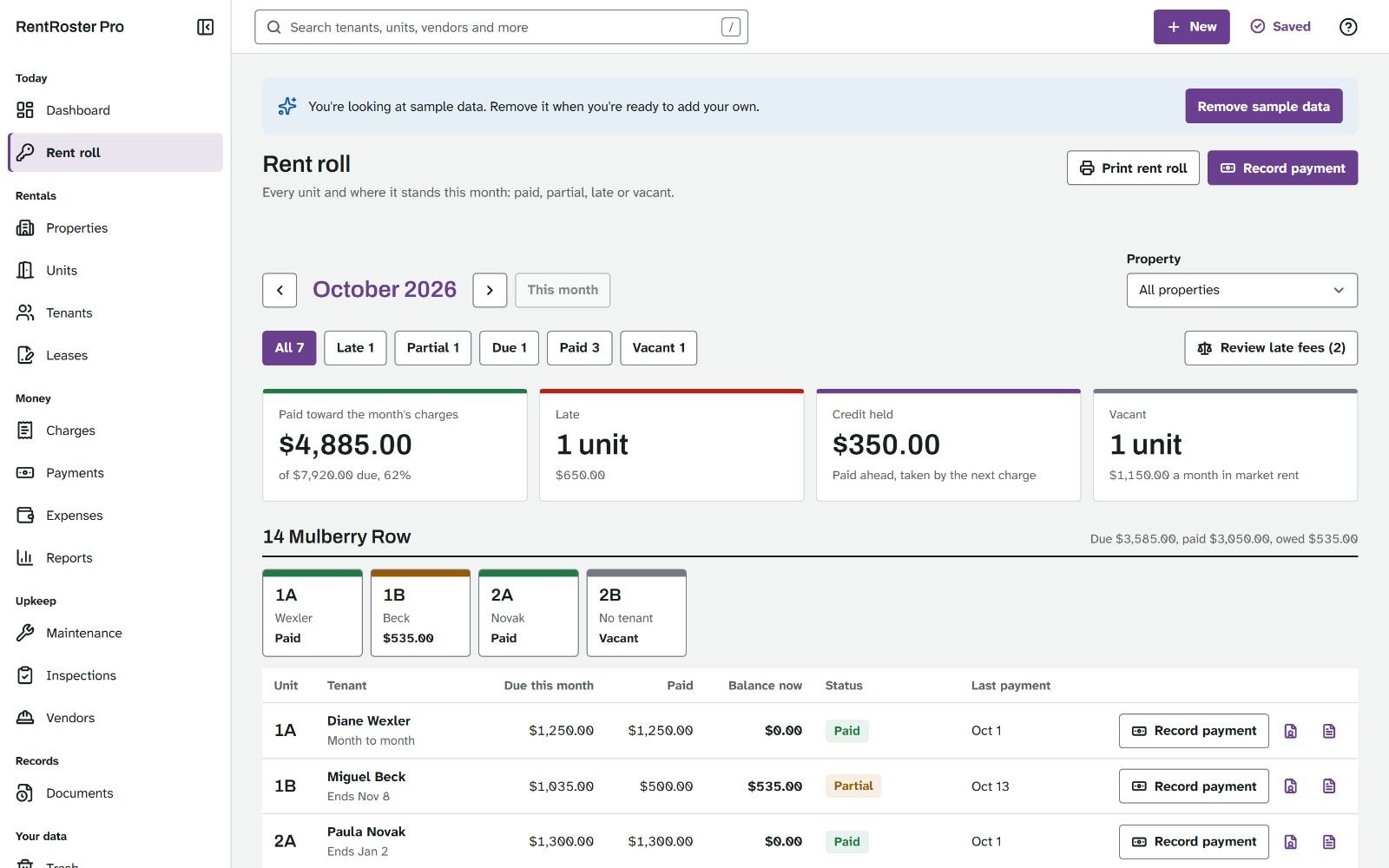
RentRoster Pro: rent roll 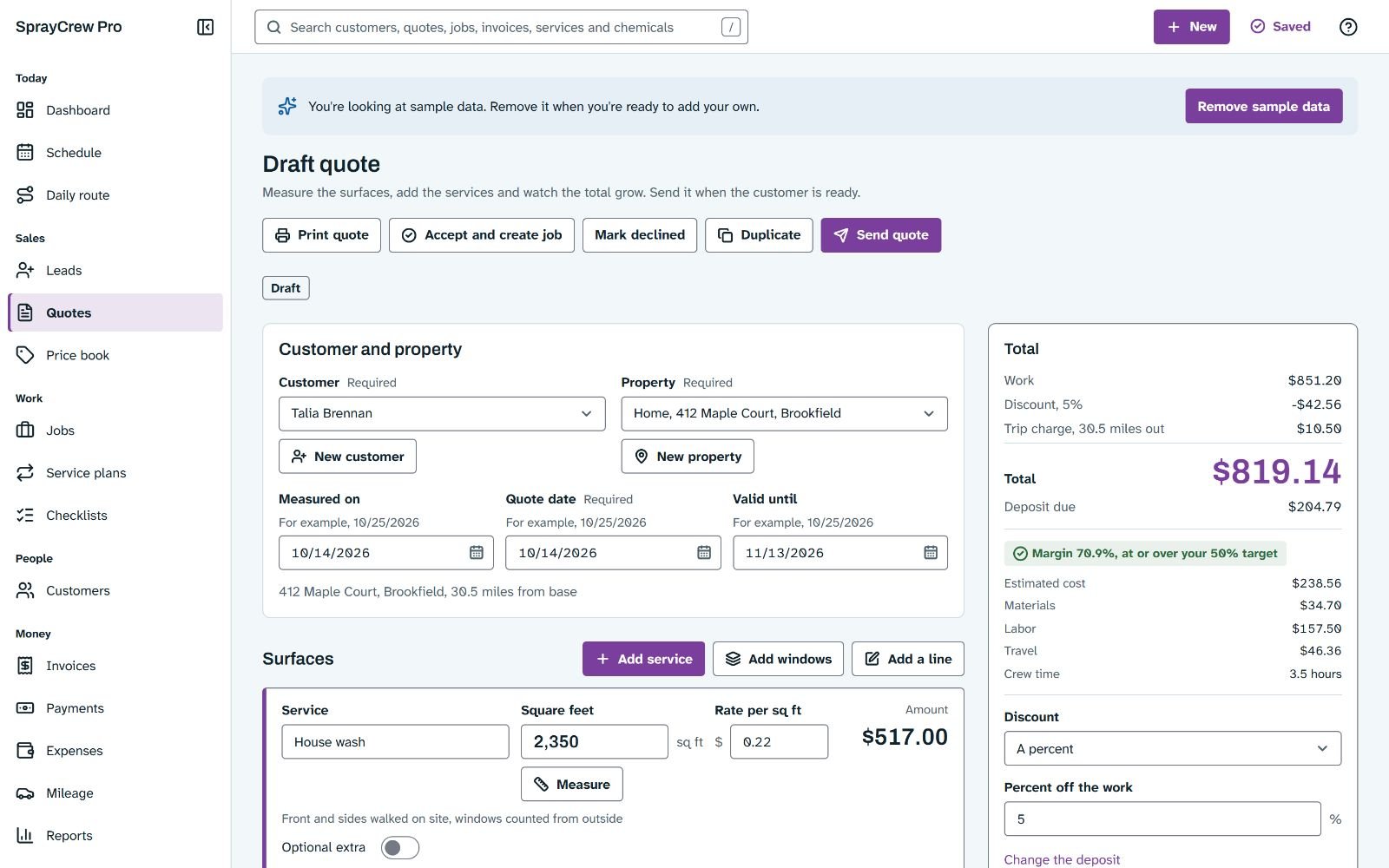
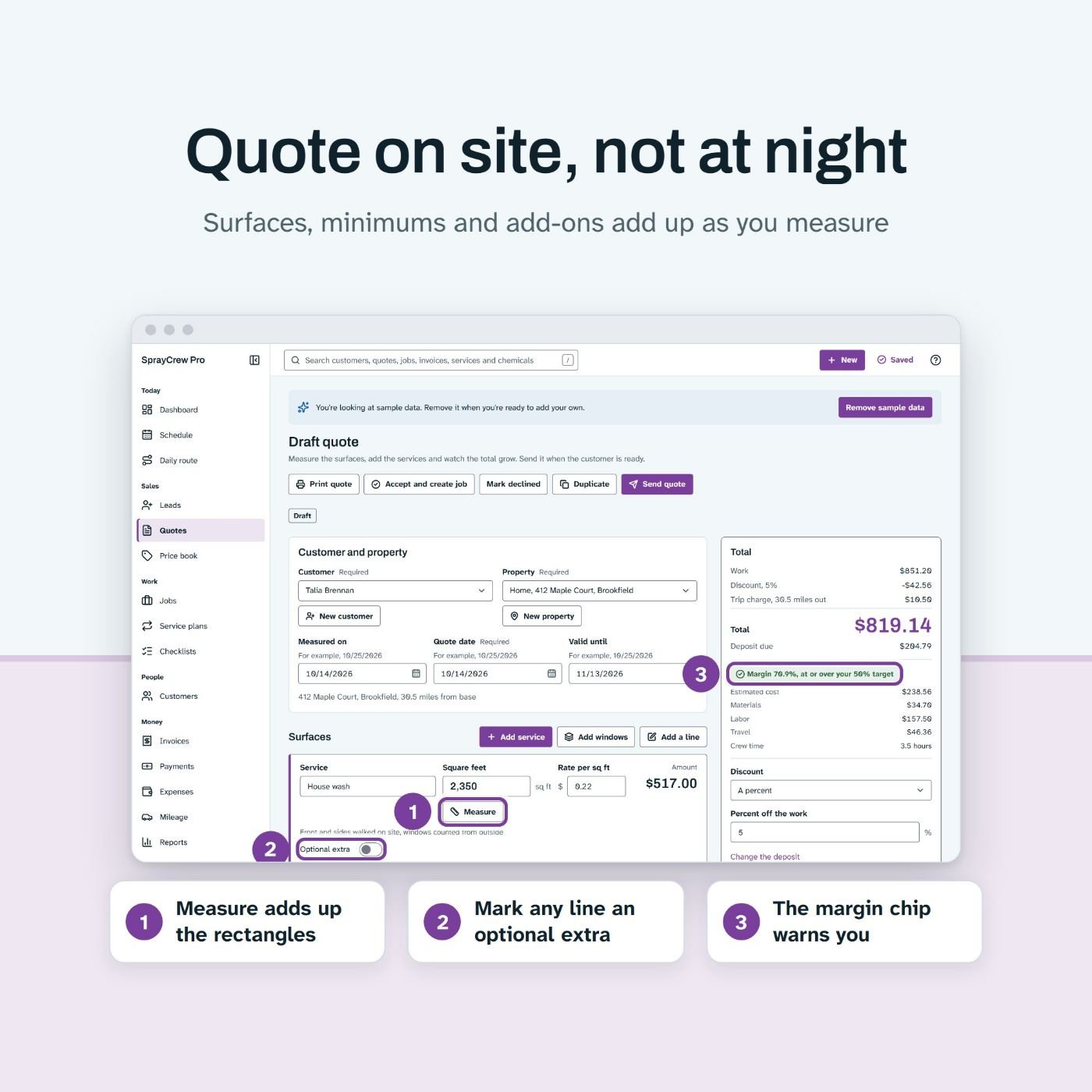
SprayCrew Pro: quote screen 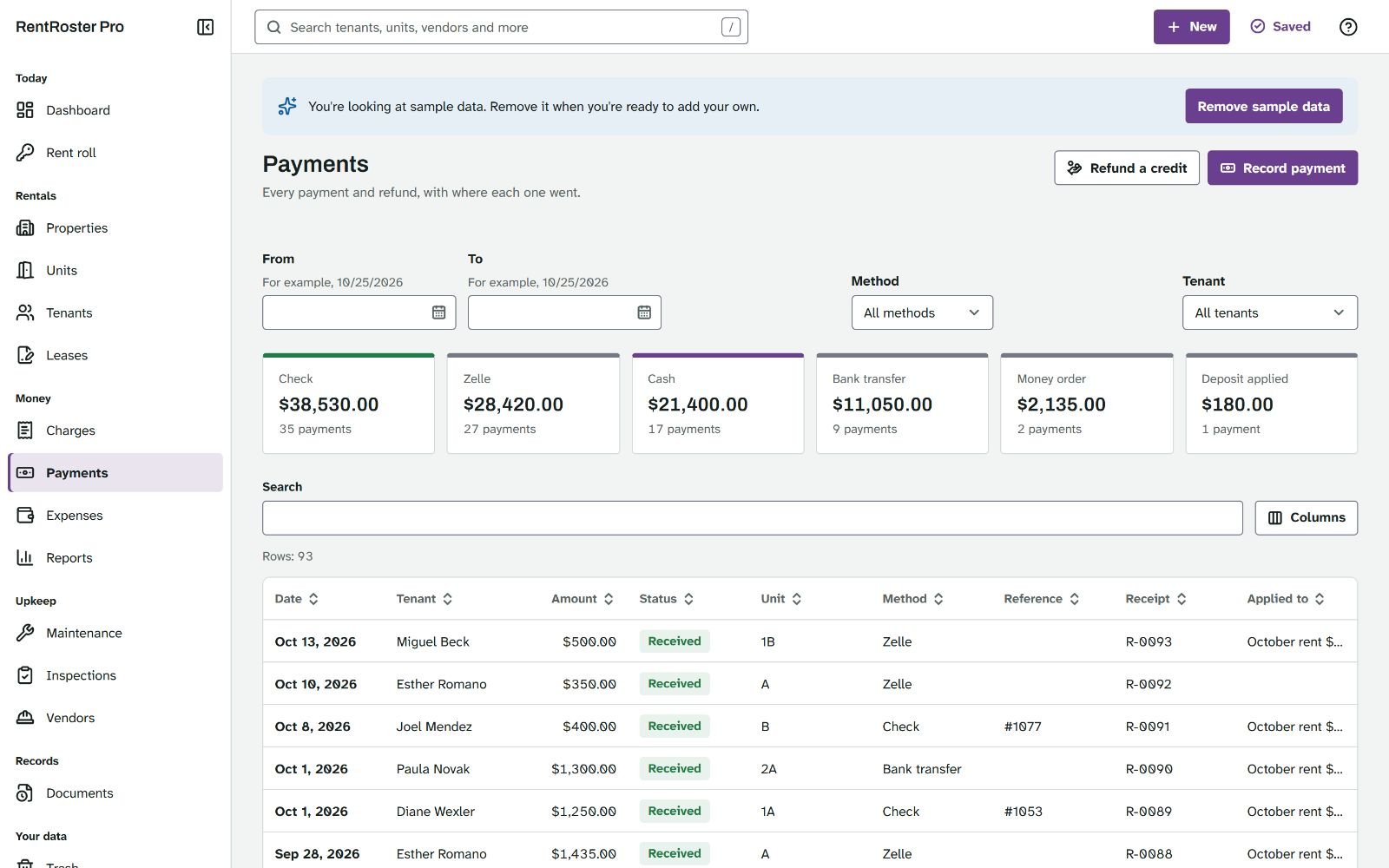
RentRoster Pro: payments screen
One payment of $17. 30 day money back guarantee.
Secure checkout through WarriorPlus. 30-day refund, see the policy.
The problem on Main Street
Somewhere near you, a bounce house owner is checking three places to answer one text
It is Thursday night. A parent writes on Facebook: "Is the castle free on the 24th? How much with delivery?" The owner opens a notebook, then a spreadsheet, then scrolls back through a week of texts. By the time the answer goes out, the parent has booked someone else.
A few streets over, a home baker prices a wedding cake from memory, because the real cost of the flour, the butter and the boxes sits on a pile of receipts. A dog walker keeps lockbox codes in old messages. A landlord with four doors works out a late fee by hand. A pressure washing crew writes quotes on the back of a gas receipt, and one rain day costs the owner a morning of phone calls.
These owners are not short of work. They are short of a back office.
The mess has a cost. One wrong answer double-books a bounce house, and a birthday party starts with a refund. A cake priced from memory can lose money on every slice. A vaccine date nobody wrote down ends with a dog sent home from a group walk. A late fee worked out by hand gets disputed, and the move-in photos that would settle a deposit argument sit somewhere on an old phone.
What these owners need is plain: one place, on their own computer, that shows what is booked, what is owed and what comes next, prints the papers their customers expect, and is paid for once.
That is what Offline Apps Fortune gives them. You can be the person who brings it, in your town or in your store.
The problem for sellers
If you sell digital products, you know the other half of the problem
If you sell digital products, you know what makes one easy to sell: it solves a real problem, the buyer can watch it work, and the seller can stand behind it. Business software can do all three, if you can get your hands on it.
The trouble is making it. An app that holds a business's bookings and money has to save every change, survive a closed browser, restore a backup without losing a record and never drop a deposit. That is slow, careful work.
We know how slow, because we measured it. Each of the 5 apps in this bundle started as a written spec of 9,000 to 18,000 words, built on an engine spec of about 25,000 words. Each app then took 15 to 20 hours of AI coding agent work, by our own measurement, with review rounds and the tests that prove it: more than 4,500 automated tests across the engine and these 5 apps.
There is a second problem. When you resell a product under someone else's name, every sale builds their brand, not yours. The customer remembers the product, not the seller. Next time, they buy from whoever shows up first.
What a seller needs is a finished, tested product that carries the seller's own name. Something you can show in a demo, back with a guide, and sell again to the next customer in the same trade.
One payment of $17. 30 day money back guarantee.
Secure checkout through WarriorPlus. 30-day refund, see the policy.
The objection
"I can't build software. I can't support it. And who would buy an app from me?"
If that is what you are thinking, good. It is the right question, so here are straight answers.
You will not build anything. The apps are finished. Each one is a single file that runs in the browser with no server behind it. There is no hosting to pay for, no login to reset and no outage at 2 a.m. The rebrand tool is a form inside the app: you type your name, pick your logo and accent color, and download your copy.
Support is lighter than you fear. Every app has help on every screen, a sample business to learn on, and a Start Here guide and a User Guide you can hand to your customers. The guides name no company, so they read as yours.
People buy from people. Local owners buy from someone they can meet, call or message, and that someone can be you. You can sit down with a baker, open the app on your laptop with the Wi-Fi off, and work out what one of her cakes really costs while she watches.
Offline is the pitch. No account. No monthly fee. The data never leaves the owner's computer. We are just as plain about the limits: the apps take no online bookings, take no card payments, send no texts and do not sync between devices. If a business needs those, these apps are not the right fit, and the FAQ below says so.
So the real question is not "Can I build it?" It is "Which trade do I start with?"
One payment of $17. 30 day money back guarantee.
Secure checkout through WarriorPlus. 30-day refund, see the policy.
Introducing Offline Apps Fortune
5 finished offline business apps, with resale rights and your brand on every one
Offline Apps Fortune is a bundle of ready-made apps for 5 local trades, plus what you need to put them on sale under your own name. It is built around what we call the One-File Resale Method: one file per app, your brand on that file, and a business that pays for it once.
Each app is the full back office of one kind of small business: the bookings, orders, visits, rent or jobs, the money in and out, the papers it prints and the totals it needs at tax time. Each opens from a single HTML file in Chrome, Edge or Firefox on Windows or Mac. There is nothing to install and no account to create.
With the apps you get the rebrand tool inside each of them, a listing kit for each app, neutral guides for your customers, two seller guides, four bonuses and a reseller license. You pay once.
- PartyHire Pro for bounce house, tent and party rentals
- BakeBook Pro for home bakers and custom cake makers
- PawSitter Hub for pet sitters and dog walkers
- RentRoster Pro for landlords with 1 to 20 units
- SprayCrew Pro for pressure washing, soft washing and window cleaning
The One-File Resale Method in 3 steps
Step 1. Rebrand an app
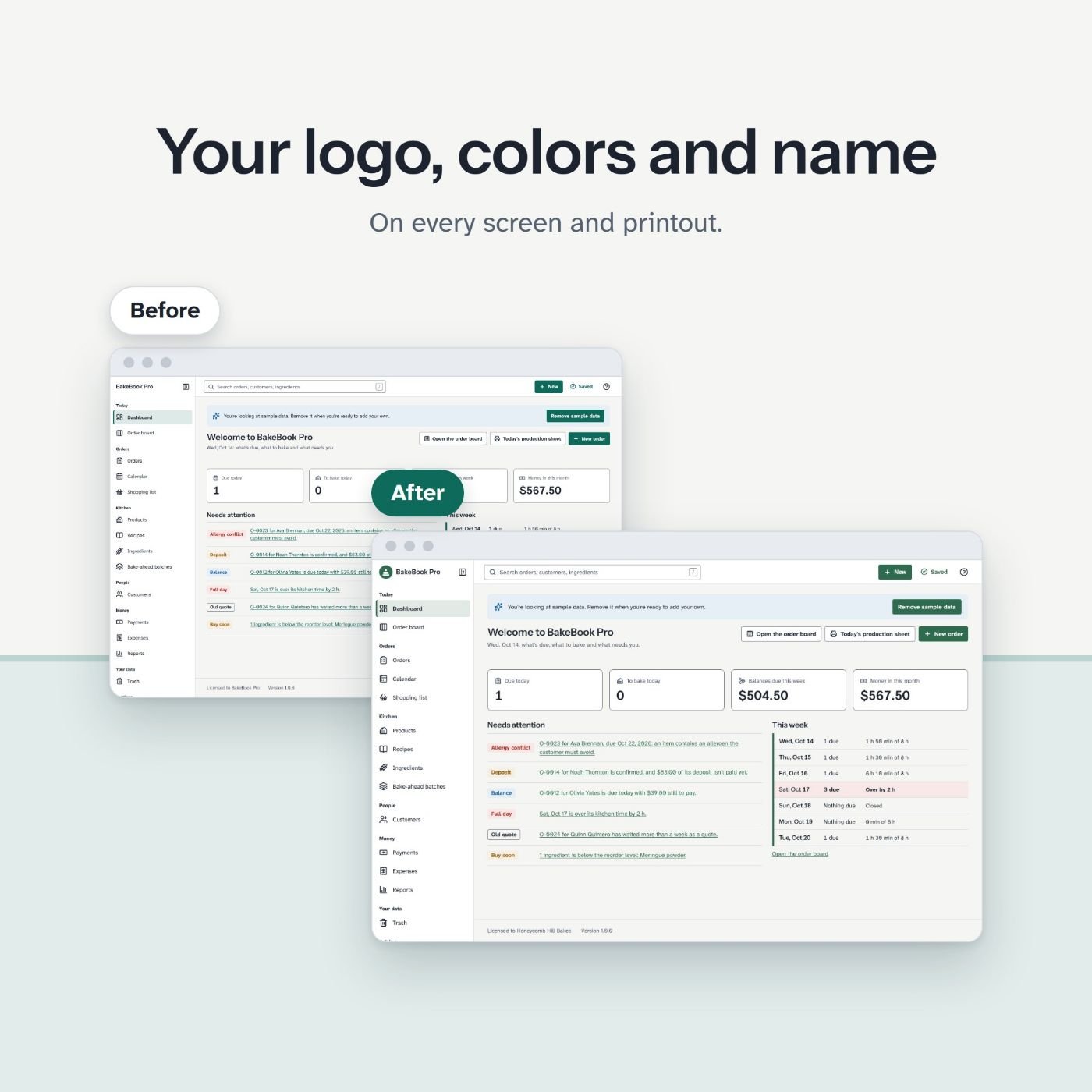
Open the app file and go to Settings, Advanced, Rebrand this app. Type your product name. Pick your logo, your accent color and a font from the bundled list. Add your "Made by" line and the support email your customers should write to. Check the live preview, then click Download branded copy. You get a new HTML file with your brand on it. The original file stays as it was, and the branded copy starts empty, with its own data, apart from the original. The logo shows in the app menu, not on invoices or printouts. The tool works in Chrome and Edge.
Step 2. Put it in your store
Open the listing kit for that app: 10 images made from the real screens, the listing text and a 15 second promo video. The How to sell them guide walks you through a store on Payhip or Gumroad, a product page checklist and a test purchase of your own product before you publish. Your own website works as well.
Step 3. Sell downloads, or offer it to local businesses
Sell downloads at the price you set. Or go local: pick one trade, message a list of owners with the outreach scripts, run a five minute demo from your laptop, and offer to set the app up with their logo and their first records. The reseller license lets you charge for setup, training and support.
One payment of $17. 30 day money back guarantee.
Secure checkout through WarriorPlus. 30-day refund, see the policy.
Real screens
A working app, full size
PartyHire Pro: the availability timeline, a real screen of the app
BakeBook Pro: order board PawSitter Hub: schedule RentRoster Pro: rent roll
Open the 5 apps right now, before you pay anything
Each button opens that app's live demo in your browser, with a made-up sample business already inside. Add a booking, print an invoice, delete a record and bring it back from the trash. It is the same app you download, under the same name.
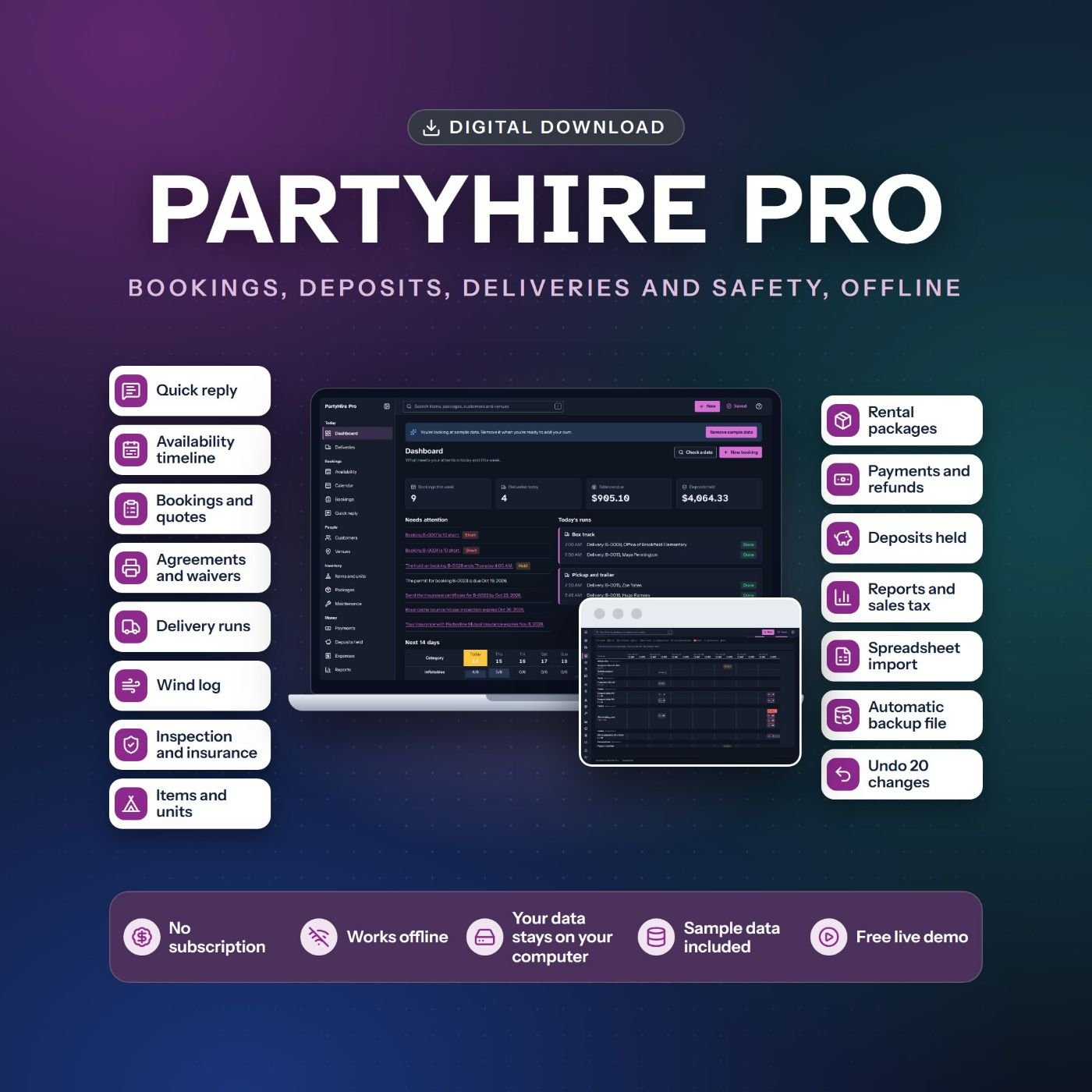
PartyHire Pro
See what is available before you say yes, then book the date and plan the delivery.
Included in Offline Apps Fortune
Try the live demo of PartyHire Pro, opens in a new tab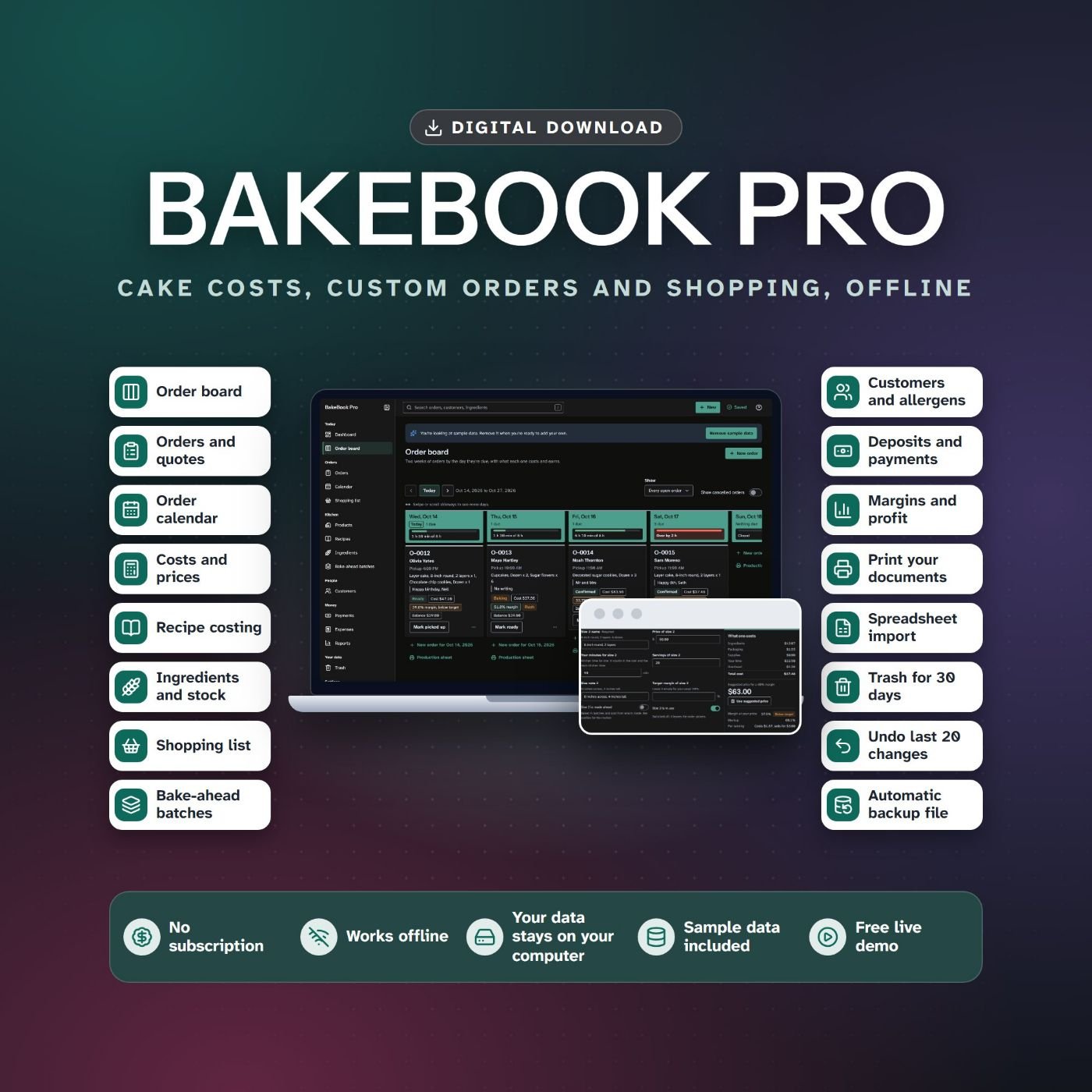
BakeBook Pro
Price every cake from its ingredients, then keep every order on one board.
Included in Offline Apps Fortune
Try the live demo of BakeBook Pro, opens in a new tab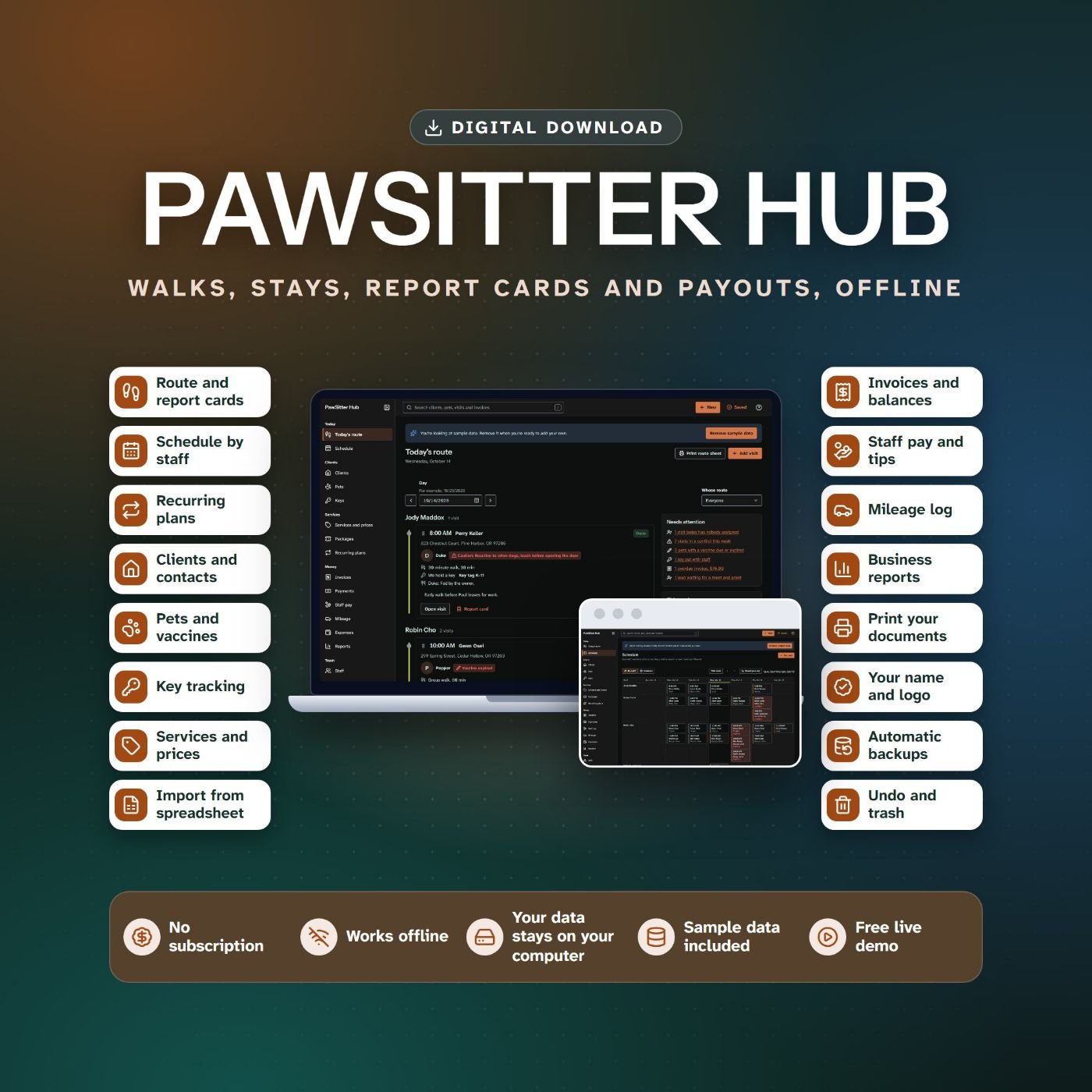
PawSitter Hub
Plan every walk, visit and stay, then invoice each client by the week.
Included in Offline Apps Fortune
Try the live demo of PawSitter Hub, opens in a new tab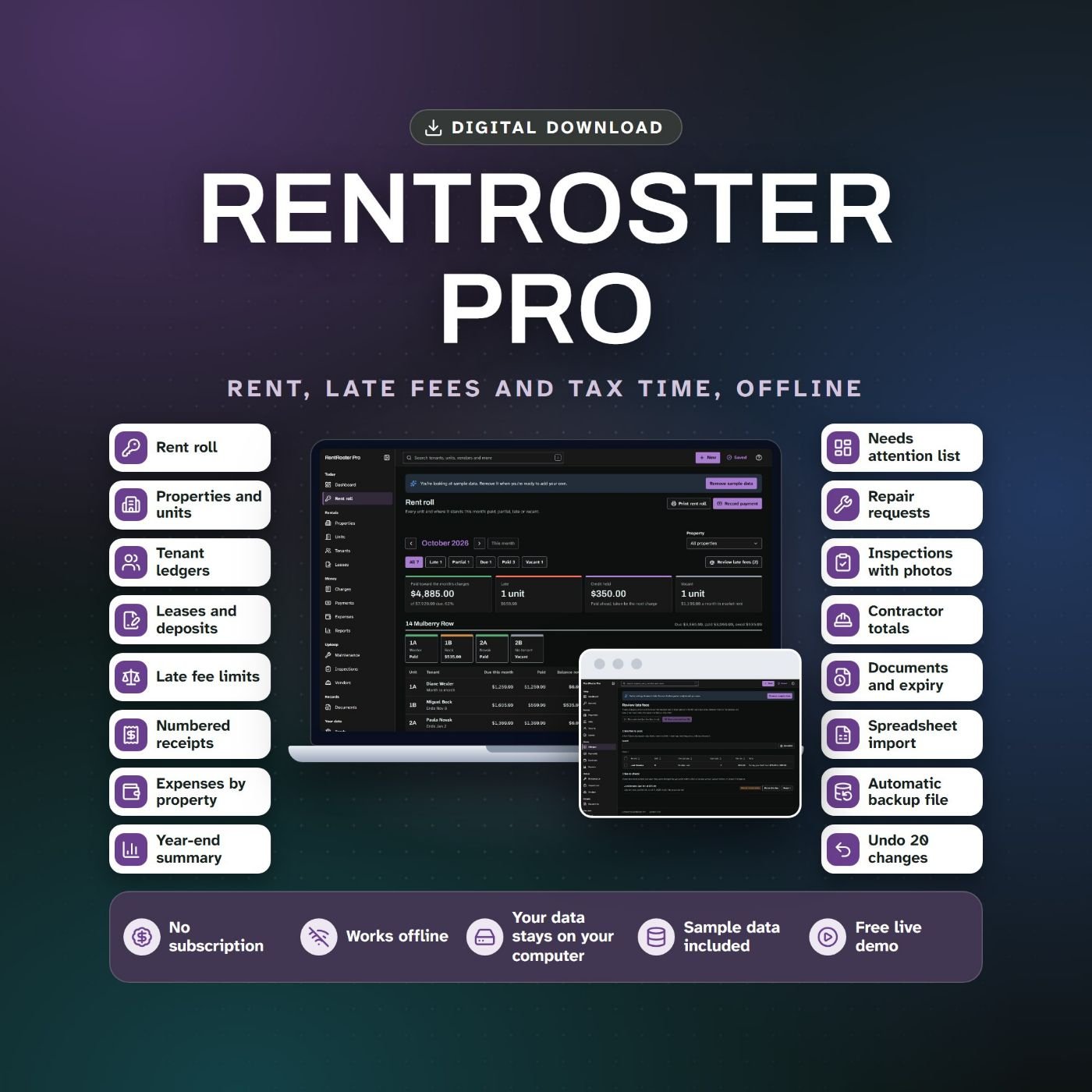
RentRoster Pro
See who has paid, who is late and who owes a balance in one rent roll.
Included in Offline Apps Fortune
Try the live demo of RentRoster Pro, opens in a new tab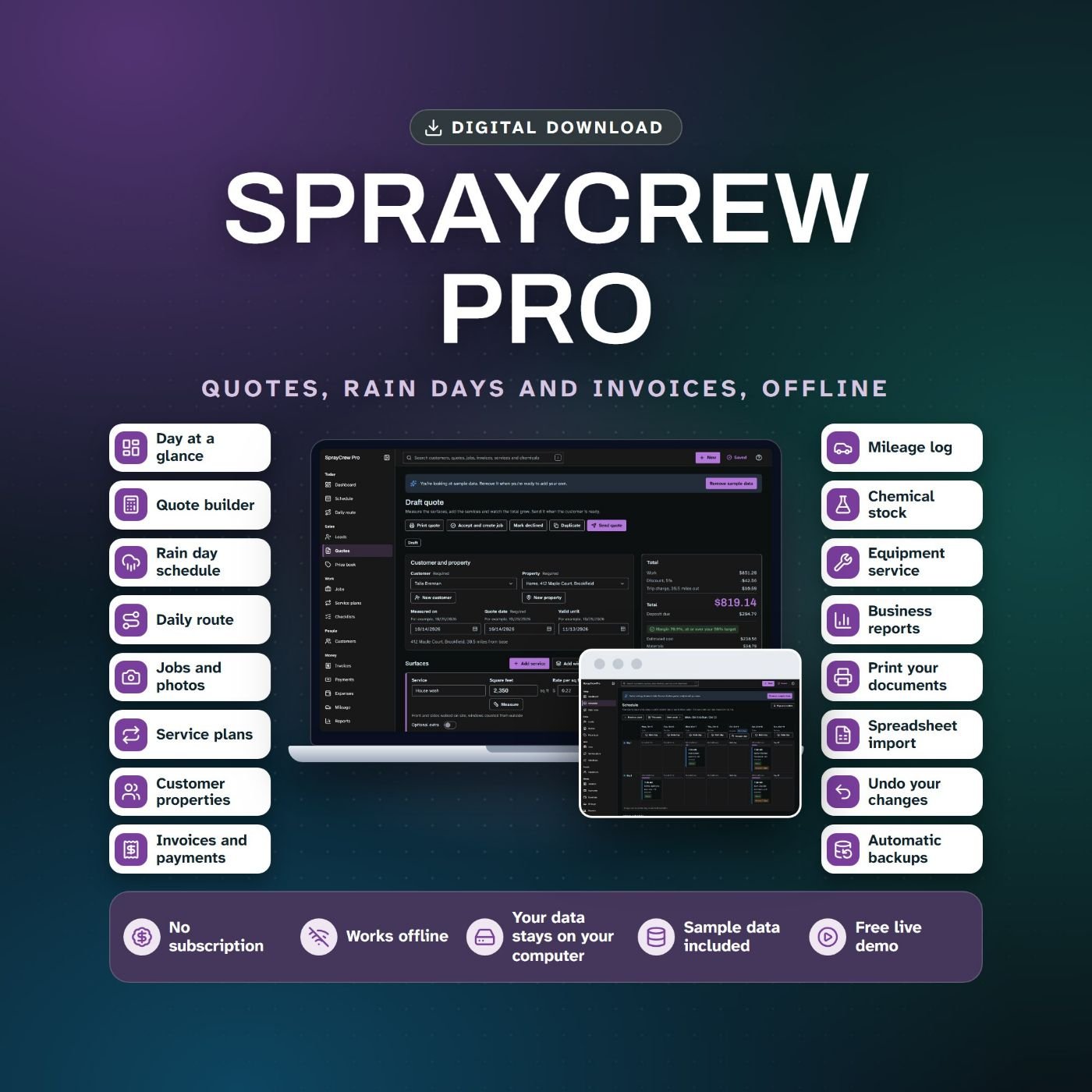
SprayCrew Pro
Quote it, schedule it, move it when it rains, invoice it.
Included in Offline Apps Fortune
Try the live demo of SprayCrew Pro, opens in a new tab
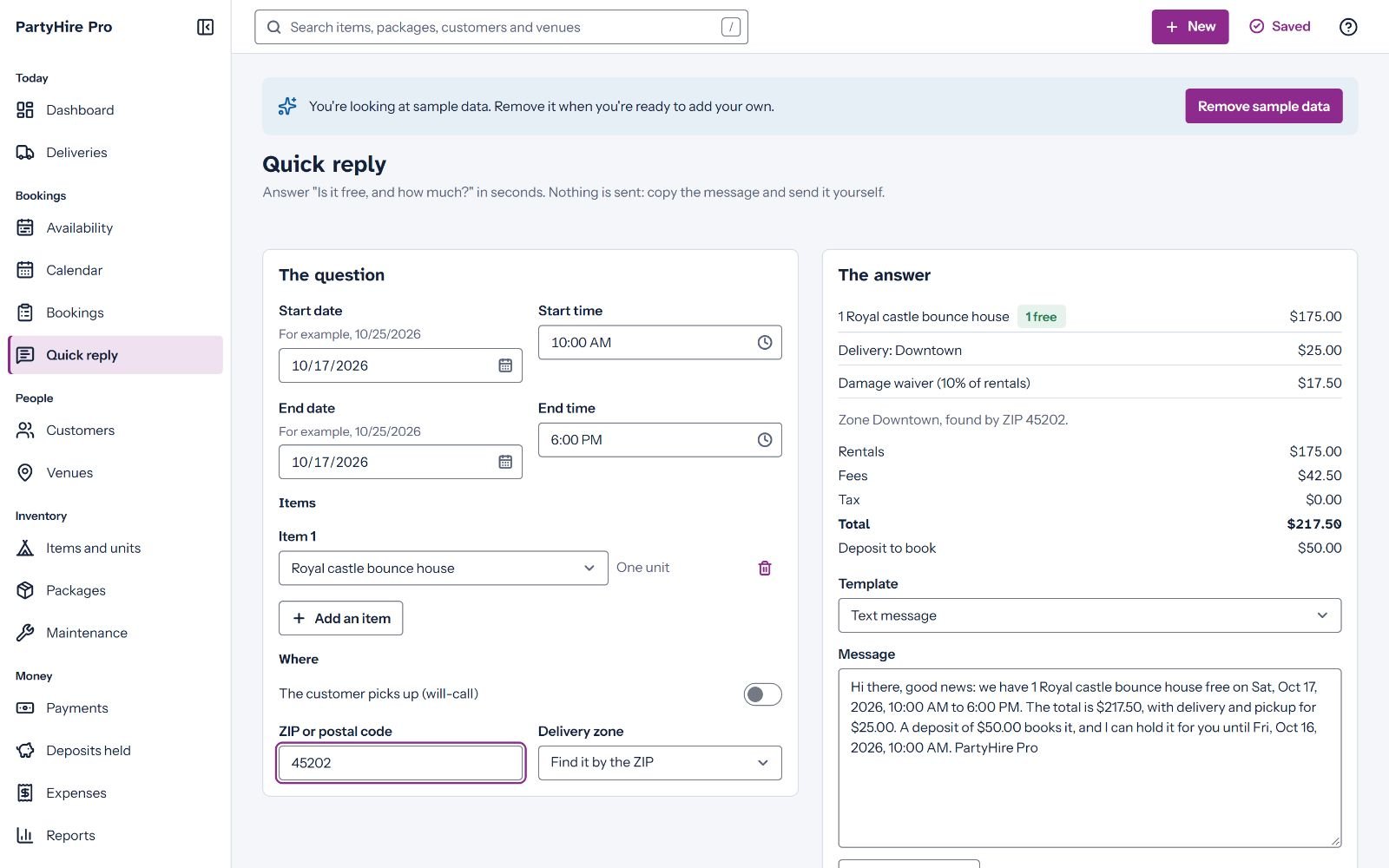
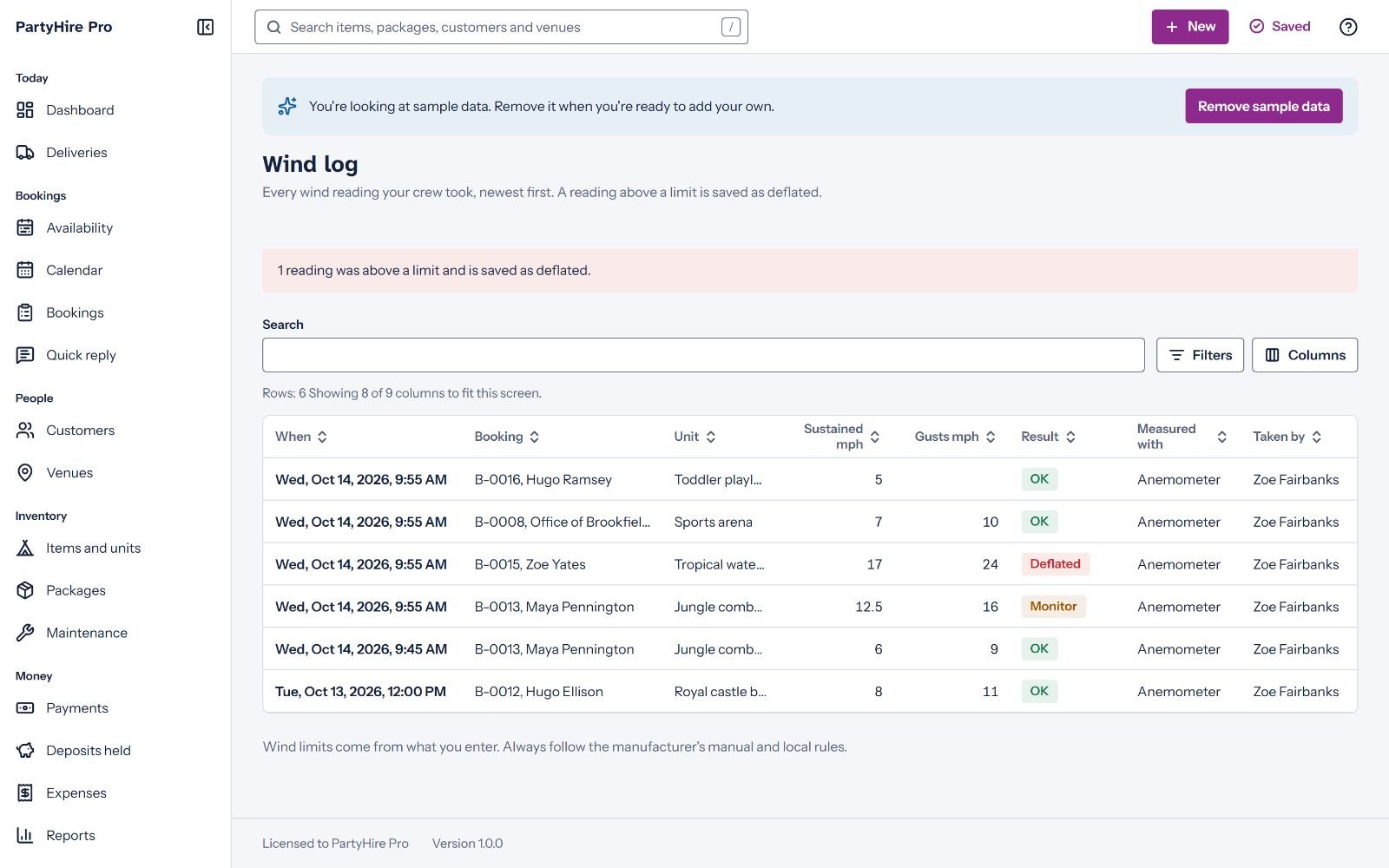
PartyHire Pro: party and event rentals
It shows what is free before the owner answers the text
Party rental owners live on one question: is it free on Saturday, and how much? This app answers it from the same availability check the bookings use, with setup and turnaround time counted. The owner enters the dates, the items and a ZIP code. The Quick reply screen shows what is free, the total with delivery and damage waiver, and the deposit, then offers a ready answer to copy into Facebook, a text or an email. While an item is short, it offers no answer at all, so nobody promises a castle that is already out.
From there a booking runs to its last payment: quote, hold, confirm, out, returned and closed. Deliveries go on runs, truck by truck, and every booking prints its own paperwork.
Try it in the demo. Open the availability screen and go to the Saturday about three weeks out. The chairs are 10 short, the bar is red, and one click shows which bookings overlap.
- Availability by day, week and month, with shortages in red before you confirm
- Named units, pooled stock such as chairs, packages, and prices per event, hour, day or night, with weekend rates
- Deposits, balances, security deposits, damage waivers, cancellation tiers and weather credits
- Delivery fees by ZIP zone or distance, runs per vehicle, run sheets with the balance to collect, and pick lists
- Rental agreement, liability waiver, a sign-in sheet of 20 rows a page and a safety rules card for each inflatable
- A wind log checked against the lowest wind limit on the booking (OK, Monitor or Stop), with inspection, insurance and permit dates
- Eleven reports, from utilization and payback to sales tax, each exported to CSV
- The limit: there is no online booking page. The owner enters each booking.
More screens of PartyHire Pro
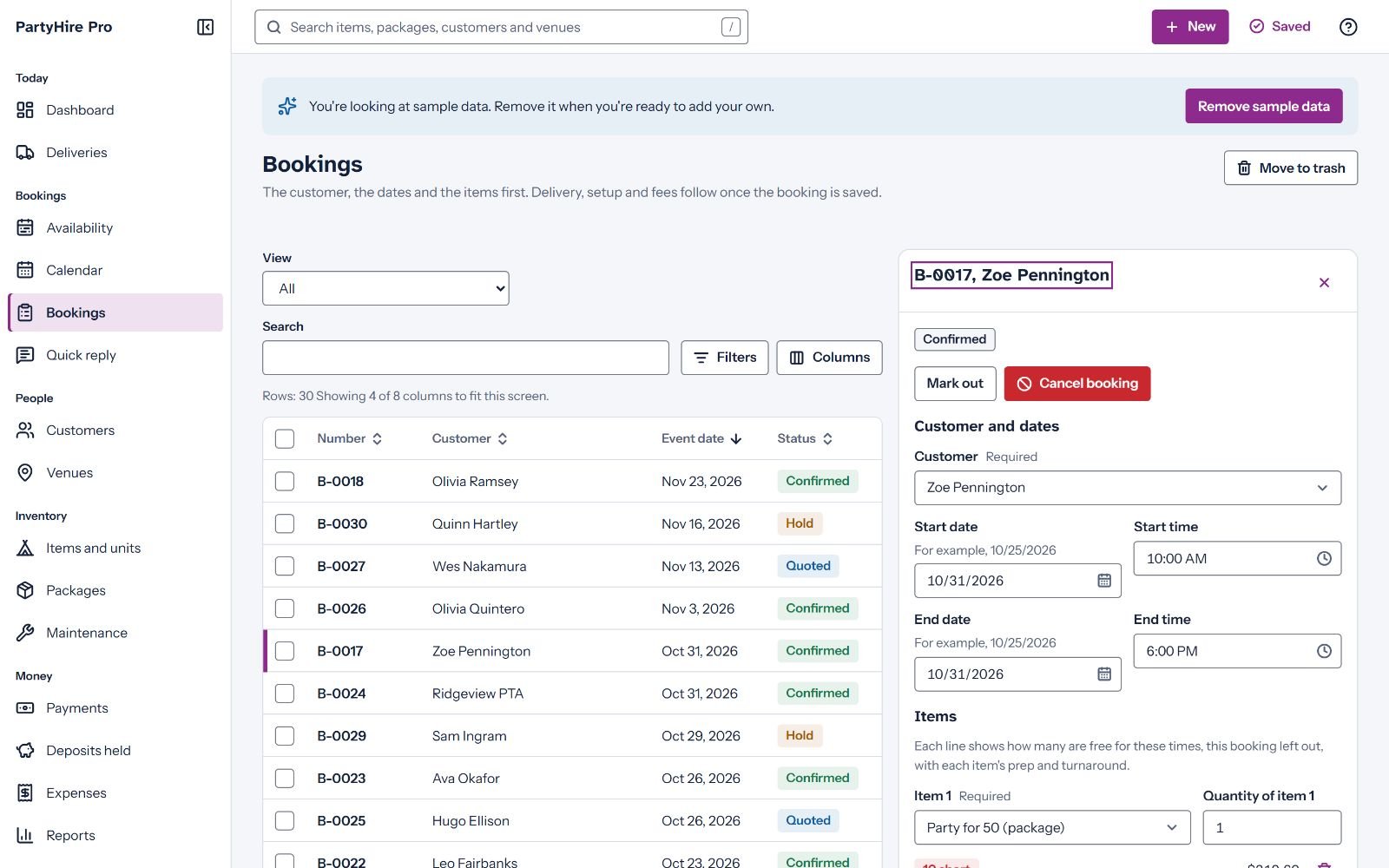
Booking screen 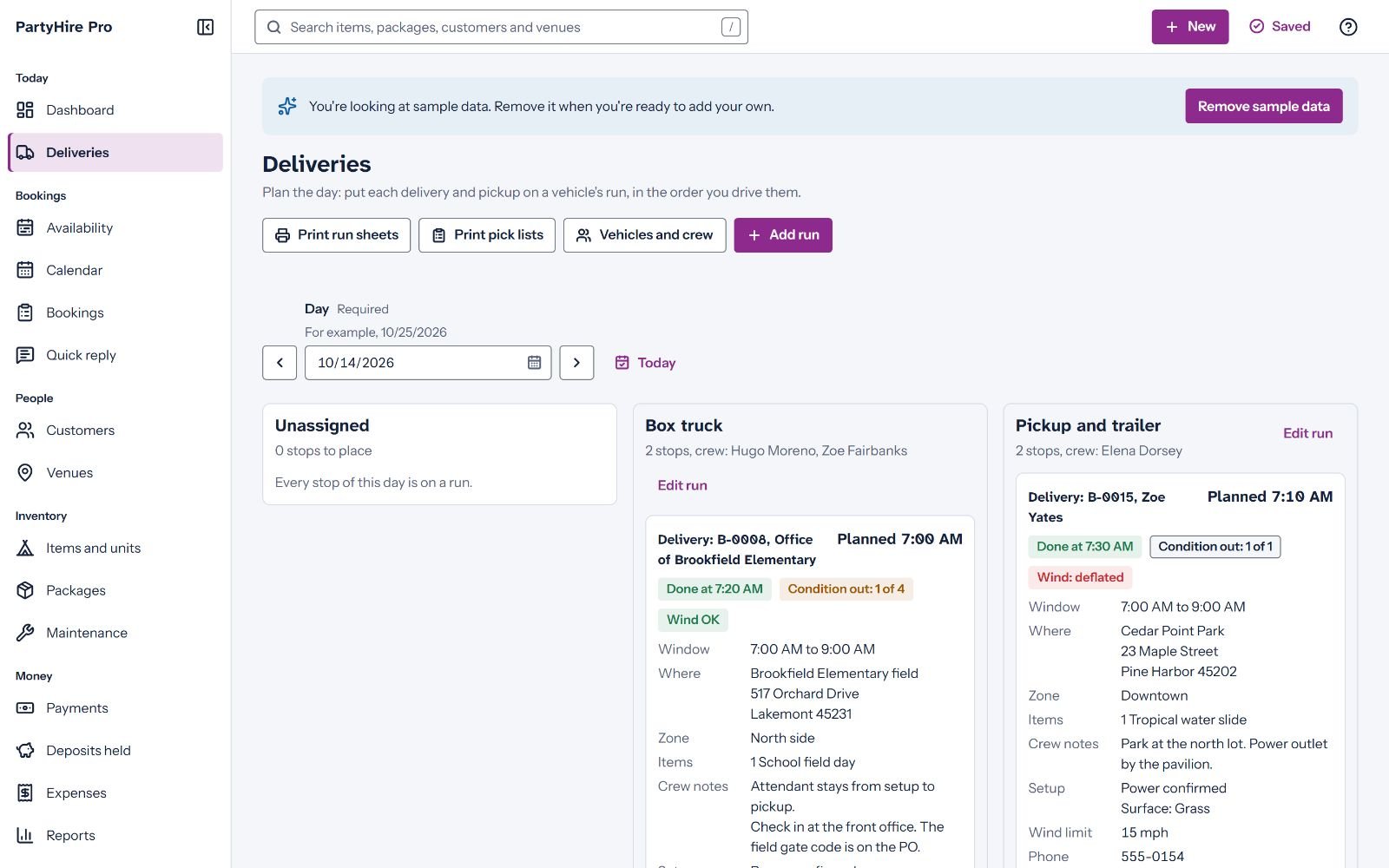
Deliveries screen 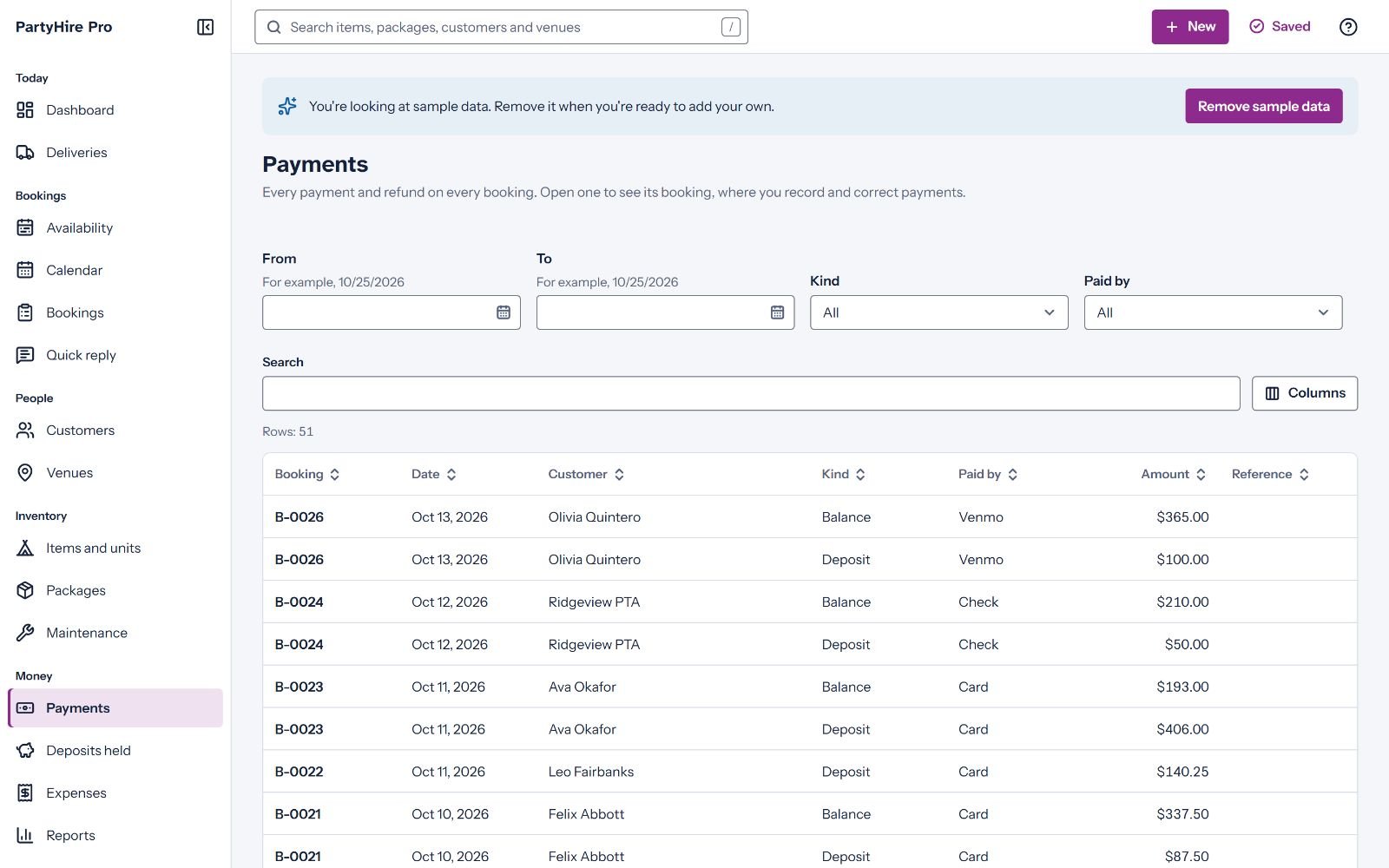
Payments screen
BakeBook Pro: home bakers and cake makers
It prices every cake from what it really costs
Most home bakers price from the last cake and a feeling. This app does the math the way a baker works. Type a recipe in cups, grams, ounces or spoons, and each line is costed as you type, from the 5 lb bag or the gallon the baker really buys. A line can be another recipe, so the cost of the buttercream flows into every cake that uses it.
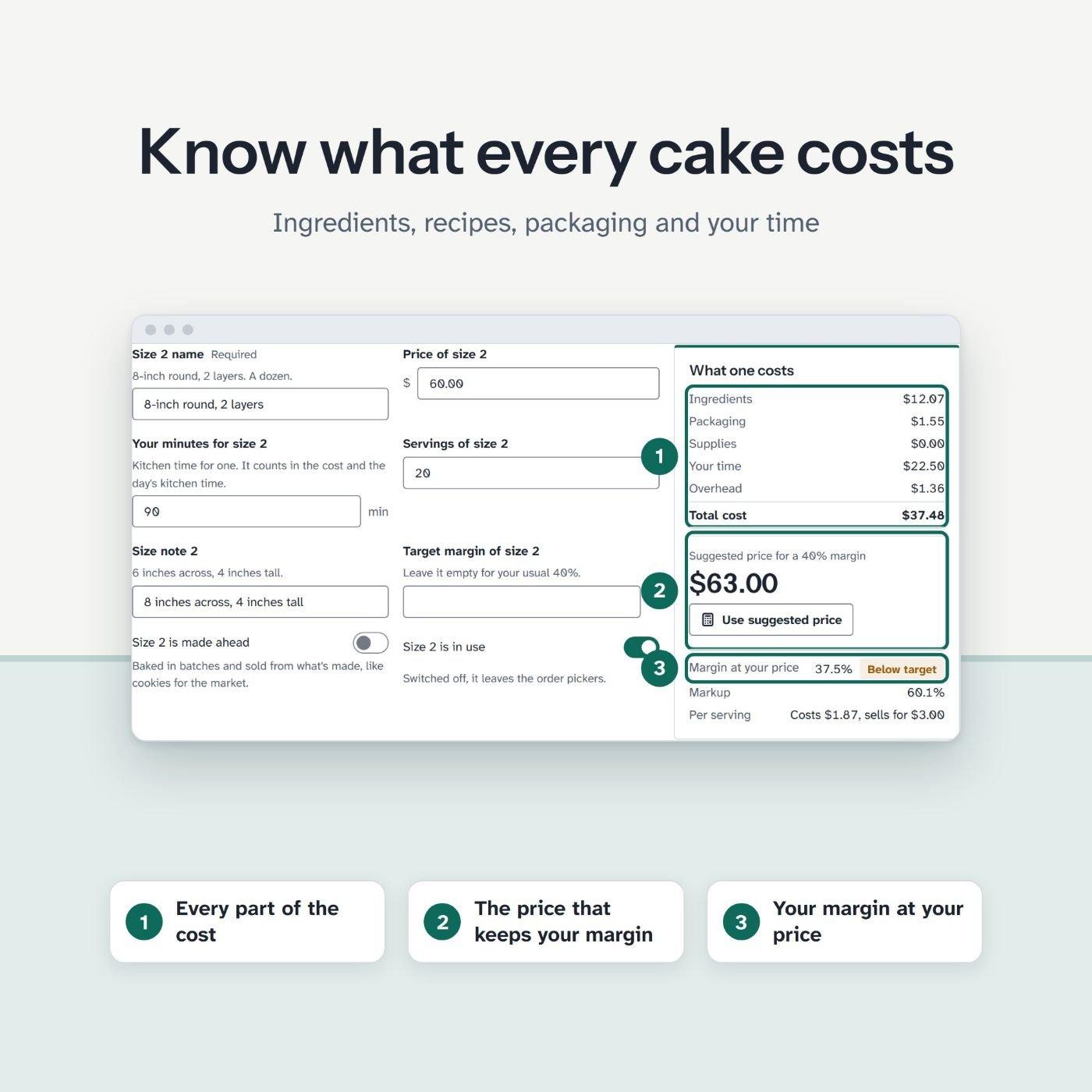
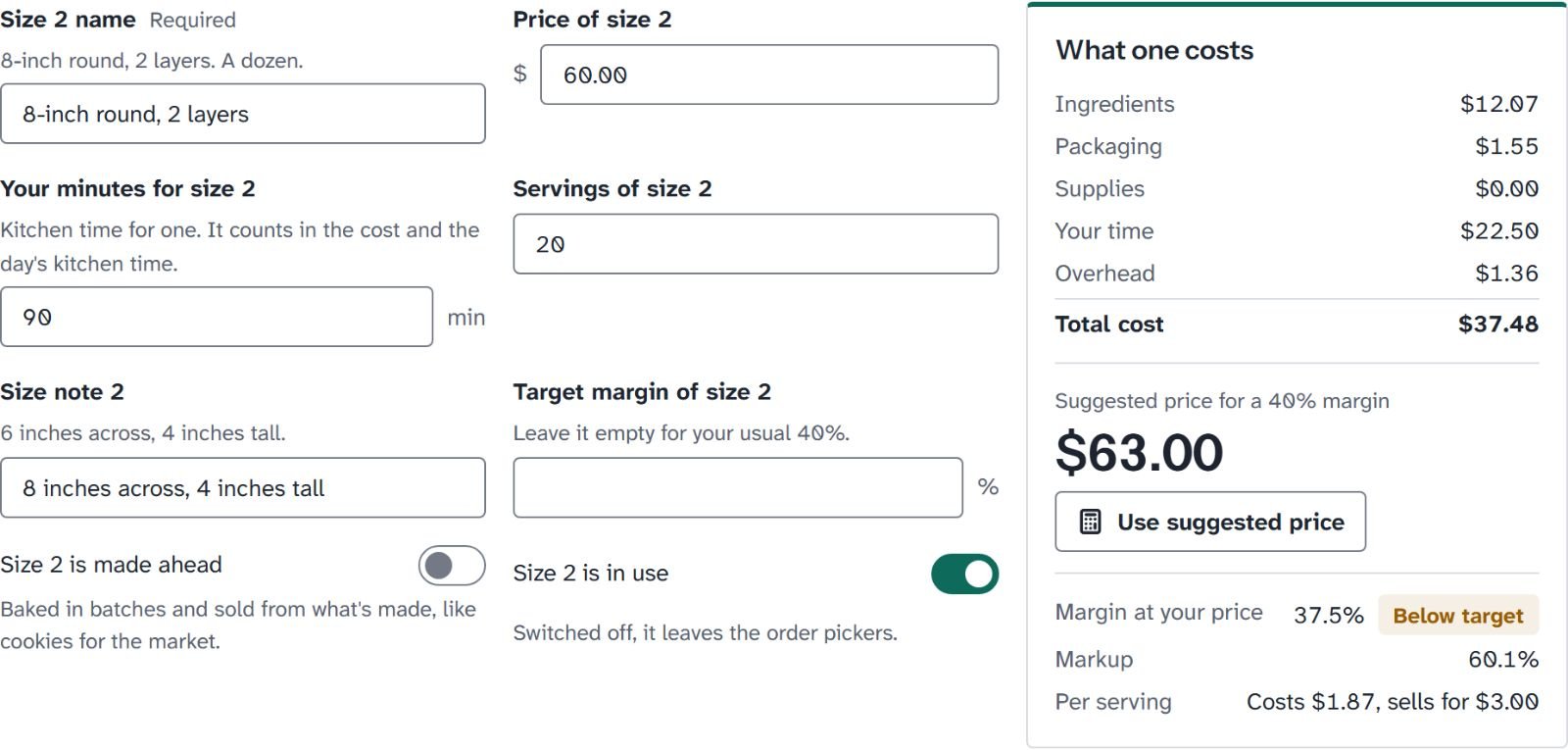
Every product has its sizes, and each size has its cost: ingredients, packaging, supplies, the baker's time and overhead. The app suggests a price at the baker's target margin, rounded up to their price step. A missing cost shows as Not costed, never as a silent zero.
Orders sit on a two-week board, one column per due day, and a day turns red when its kitchen time runs over. The shopping list adds up the week's orders and planned batches, takes off what is on the shelf and rounds up to whole packs, grouped by store.
- Custom orders with occasion, flavors, inscription, colors, design notes and up to 6 photos
- Deposits, balances and a cancellation policy by days before the due date
- Allergens: a customer's avoid list follows every new order, and a conflict shows in red on the board, the order and the ticket
- Bake-ahead batches for markets, with a count of what is left after the market day
- Order tickets, production sheets, recipe cards at any scale and product labels with Contains and May contain lines
- A cottage sales limit report: money in by month against the yearly limit the baker enters
- Allergen lists for the US, UK and EU, Canada, Australia and New Zealand, all editable
- The limit: it records the allergens and label text the baker enters. It certifies nothing and checks no label against any law.
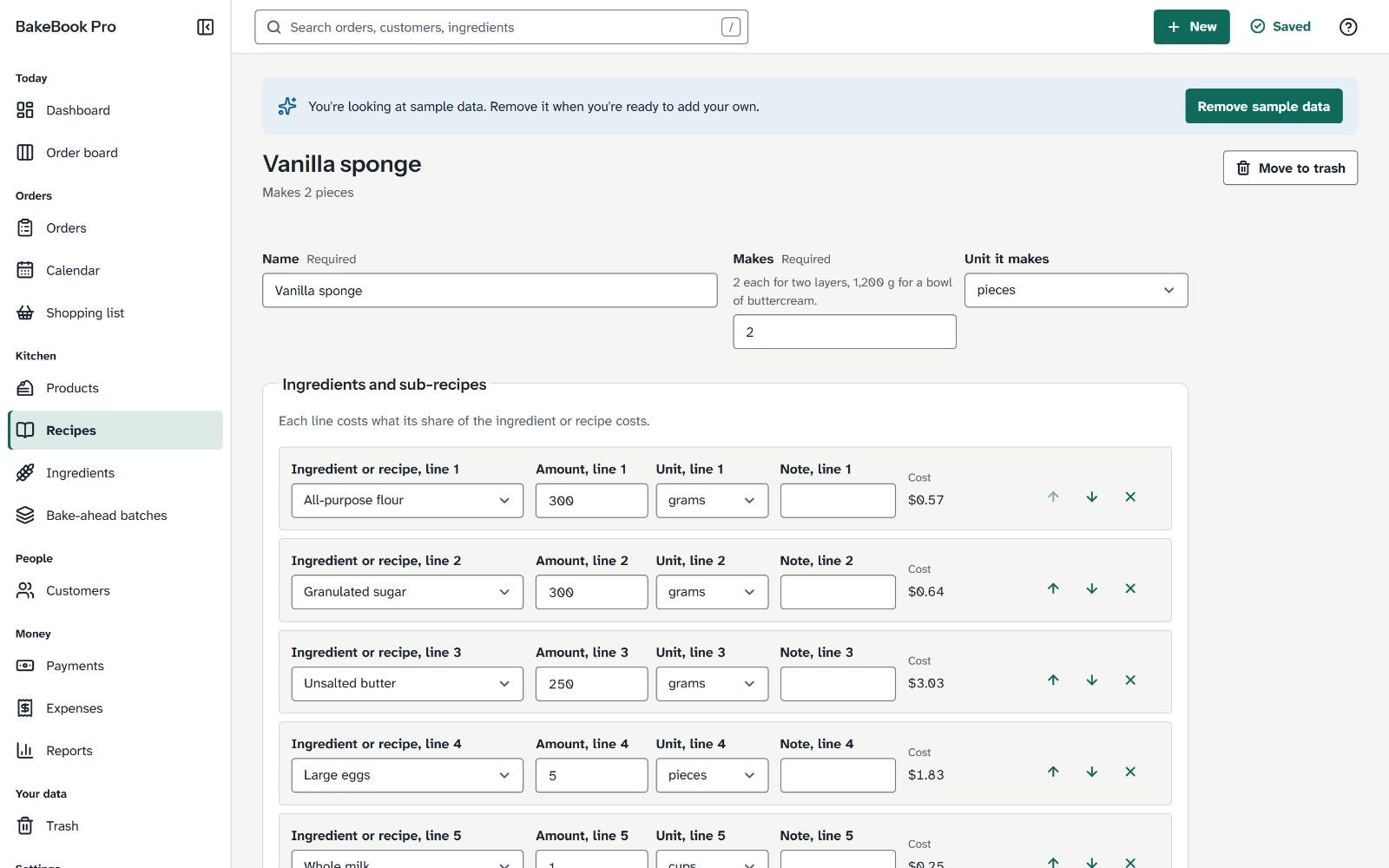
More screens of BakeBook Pro
Order board 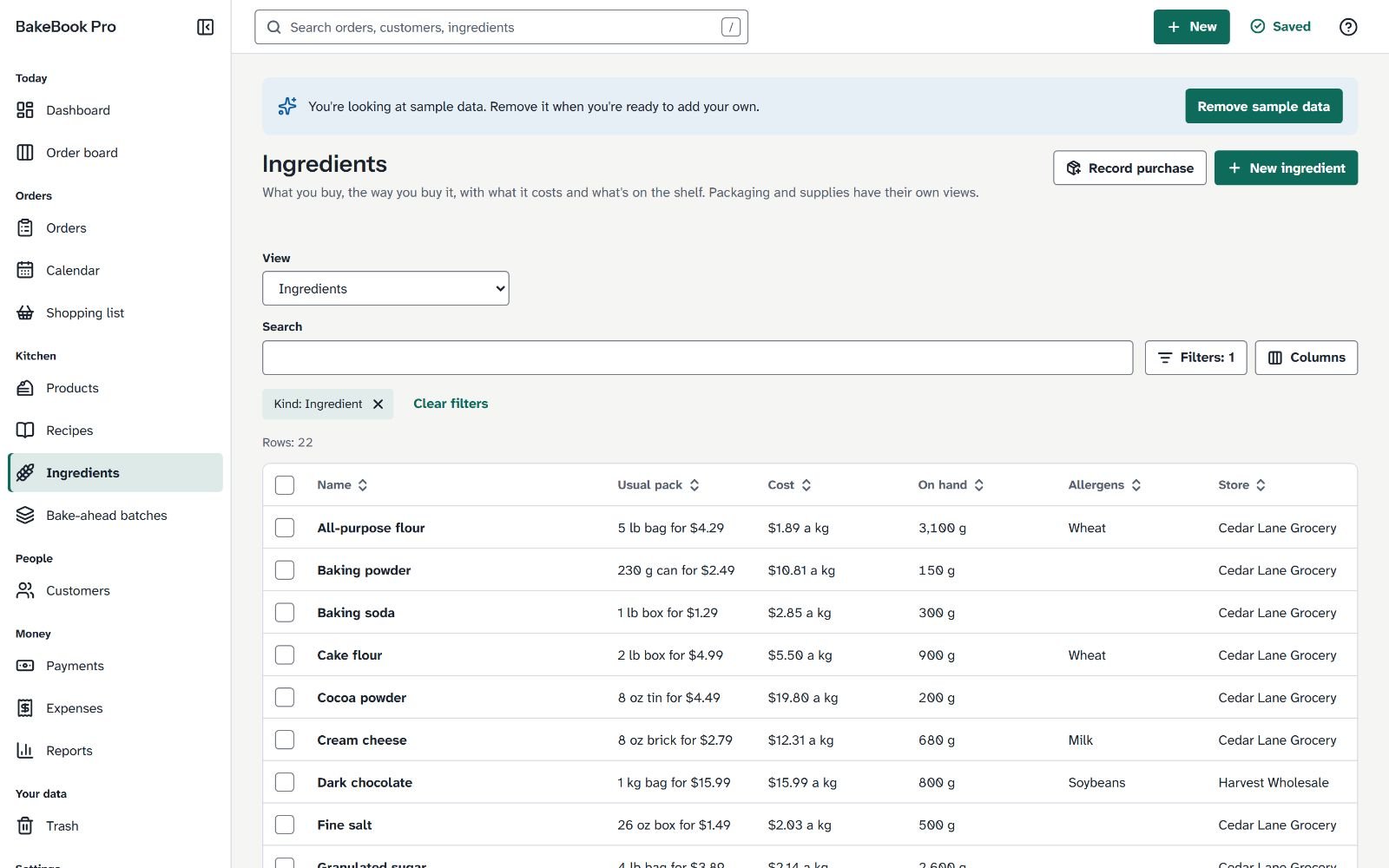
Ingredients screen 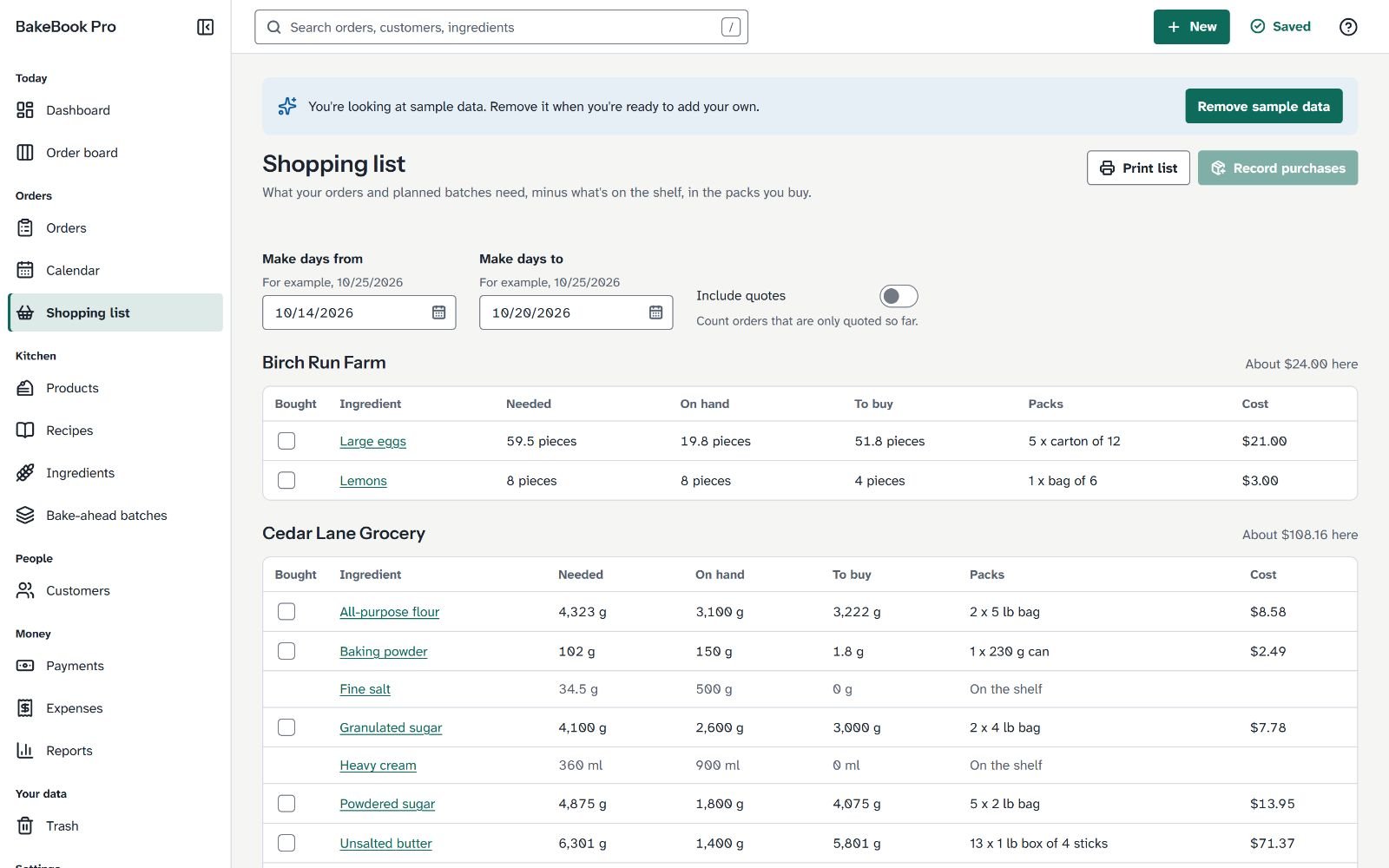
Shopping list
One payment of $17. 30 day money back guarantee.
Secure checkout through WarriorPlus. 30-day refund, see the policy.
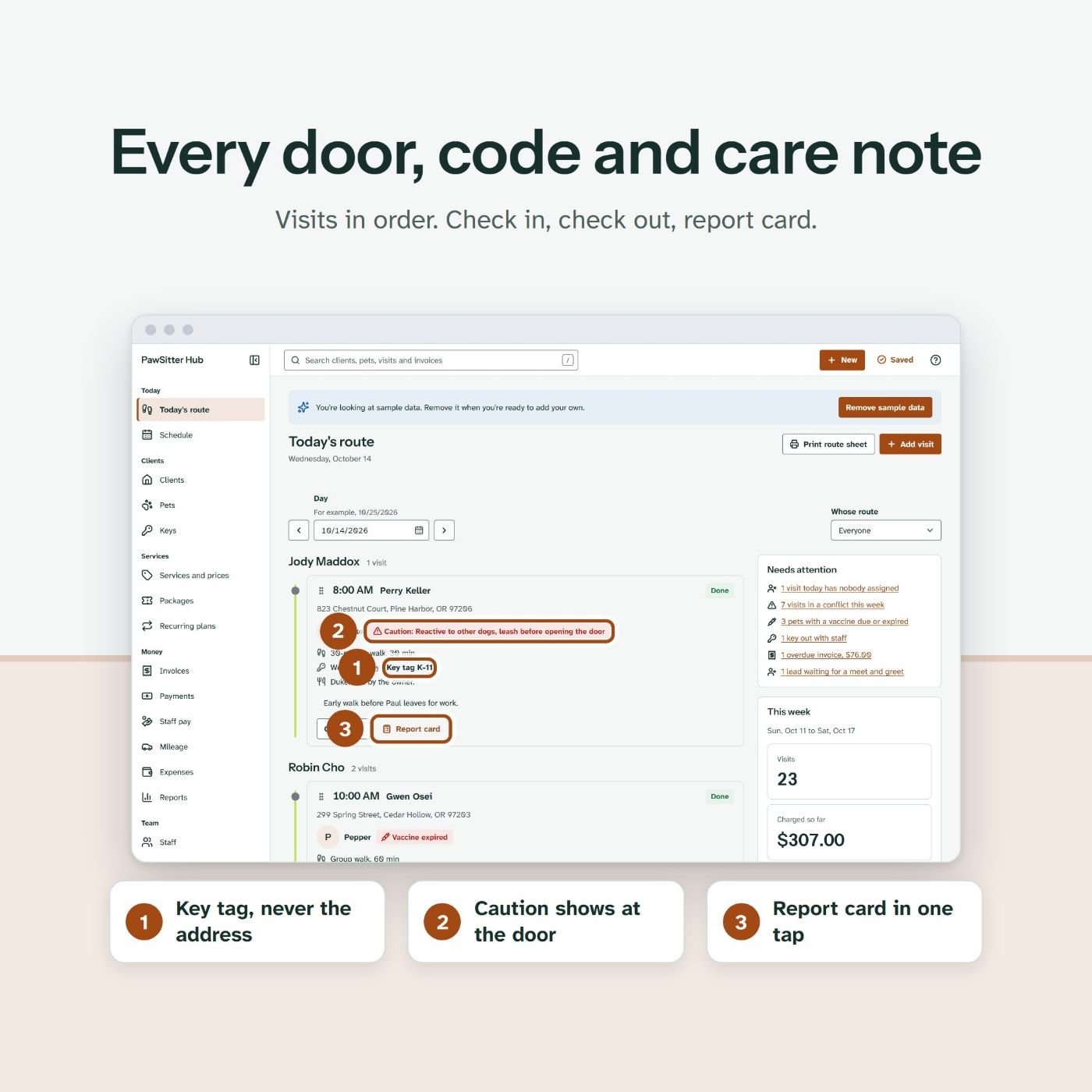
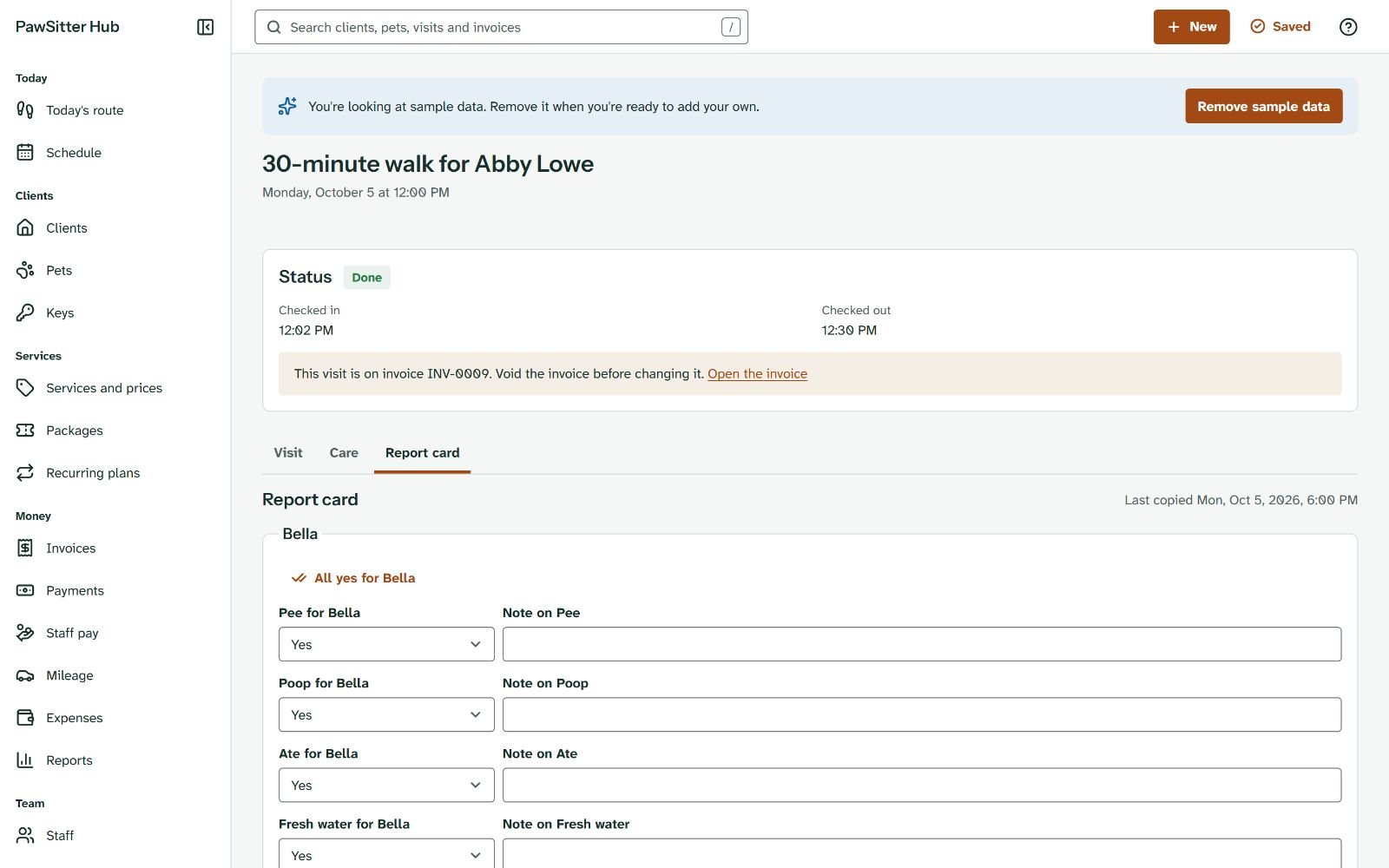
PawSitter Hub: pet sitters and dog walkers
Every key, code and care note for today's route, on one screen
Each day brings a different door and a different dog. Today's route lists the visits walker by walker: the time or arrival window, the address, the pets with their photos, caution notes and vaccine badges. Key tags, lockbox lines, feeding and medication sit on each stop. Door and alarm codes stay hidden until someone clicks Show codes, and printed route sheets leave them off unless the owner ticks Include entry codes.
Regular walks become recurring plans, which create the visits 8 weeks ahead and top them up each day. A vacation stay is planned in one step. Holiday surcharges and cancellation fees follow the owner's own rules. At the end of the week, Bill visits makes one draft invoice per client, and Pay staff works out what each walker is owed, with tips and mileage.
- Client and pet profiles: feeding, medication, behavior, allergies, vet, microchip and a photo
- Vaccinations with dates and a certificate file, marked Up to date, Due soon or Expired
- Visit report cards with checks for each pet, a message and up to 10 photos, to copy or print (the app sends nothing)
- A key log: received, given to staff, back, returned, lost or copied, and who holds each key now
- Prepaid packages of visits, used up one credit at a time
- Staff pay as a percent or a flat amount, days off shown as conflicts, and a schedule by walker
- Six reports, from revenue by service to vaccinations due and a tax summary estimate
- The limit: no client portal, online booking, online payments or GPS tracking.
More screens of PawSitter Hub
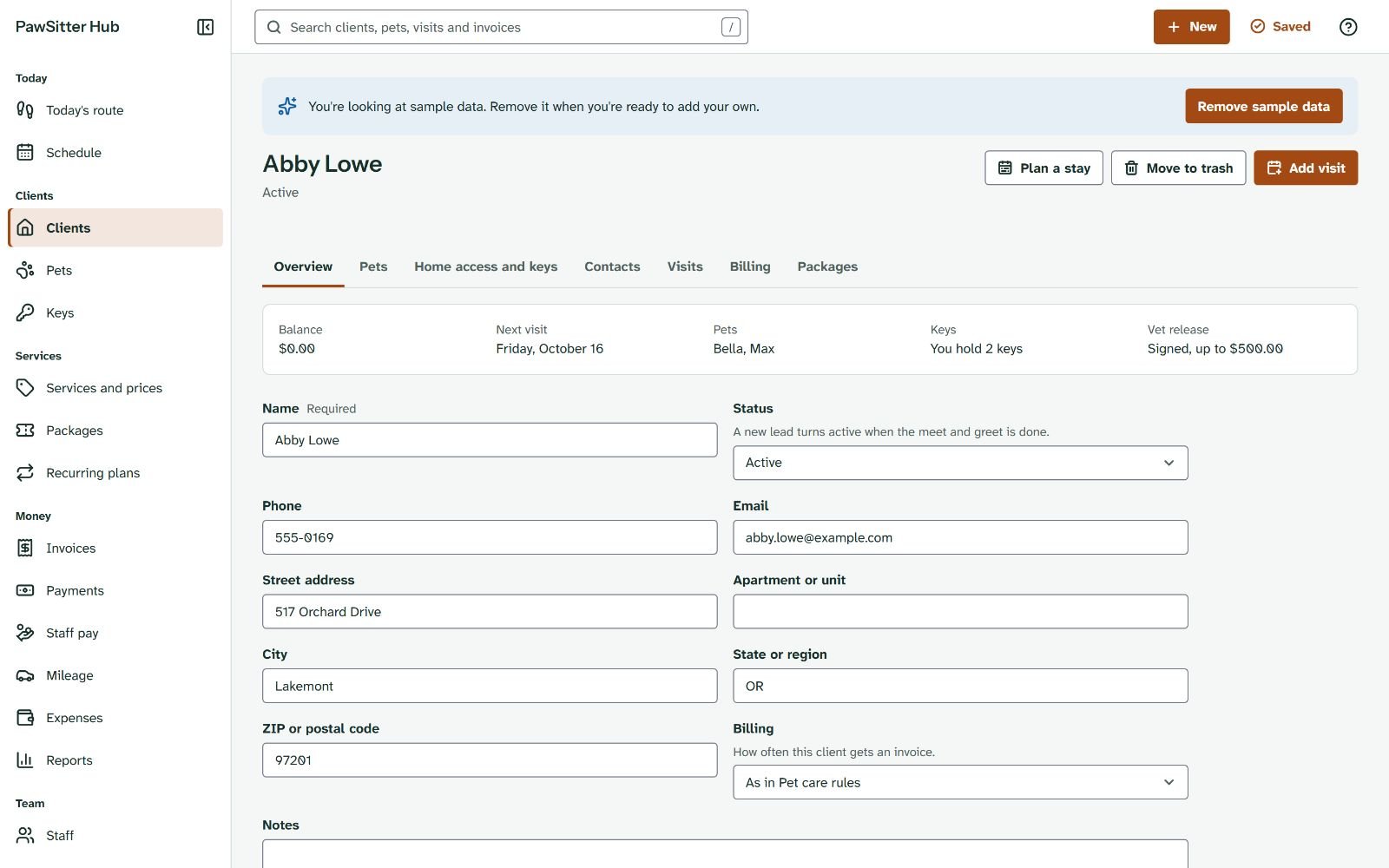
Client screen 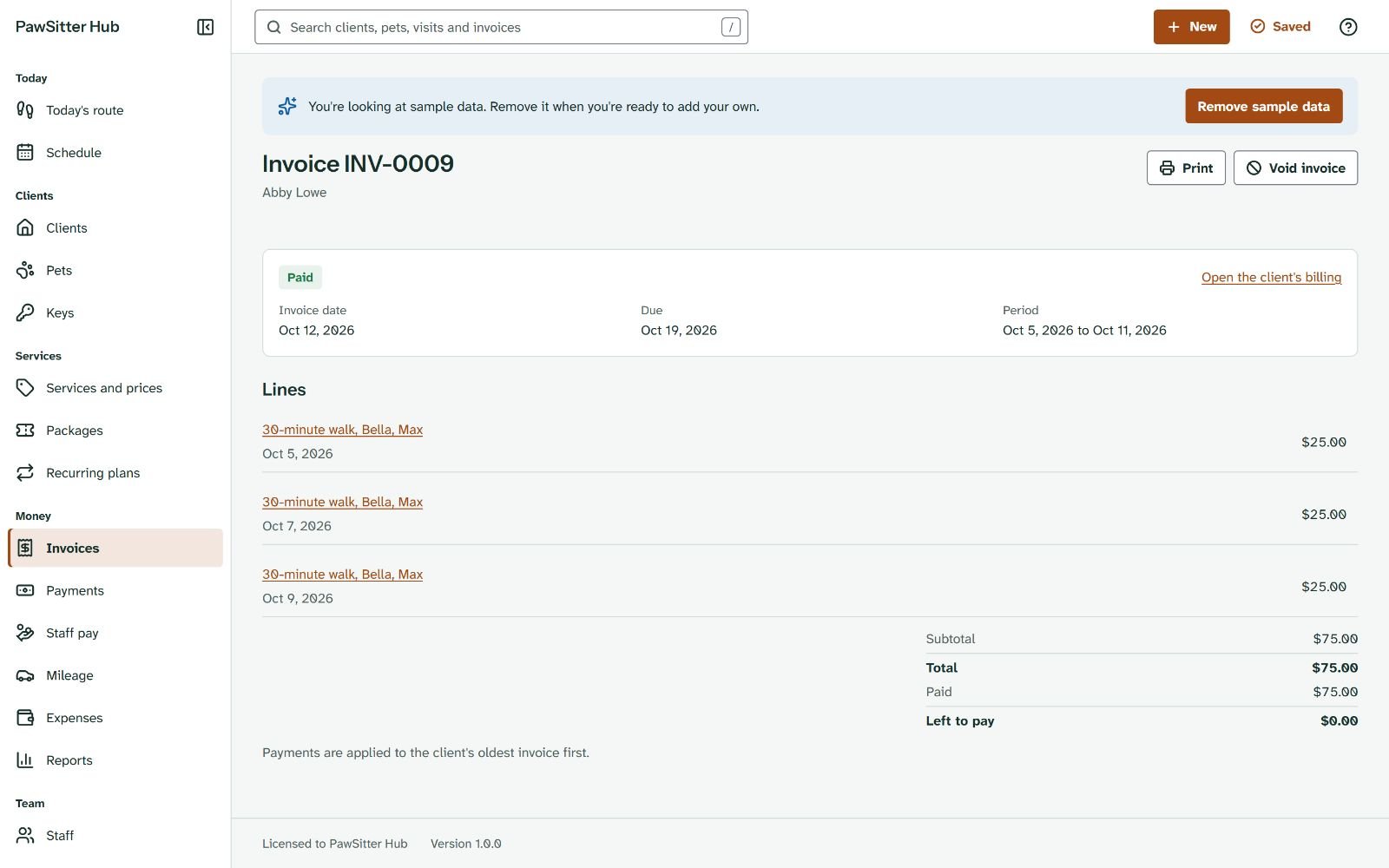
Invoice screen 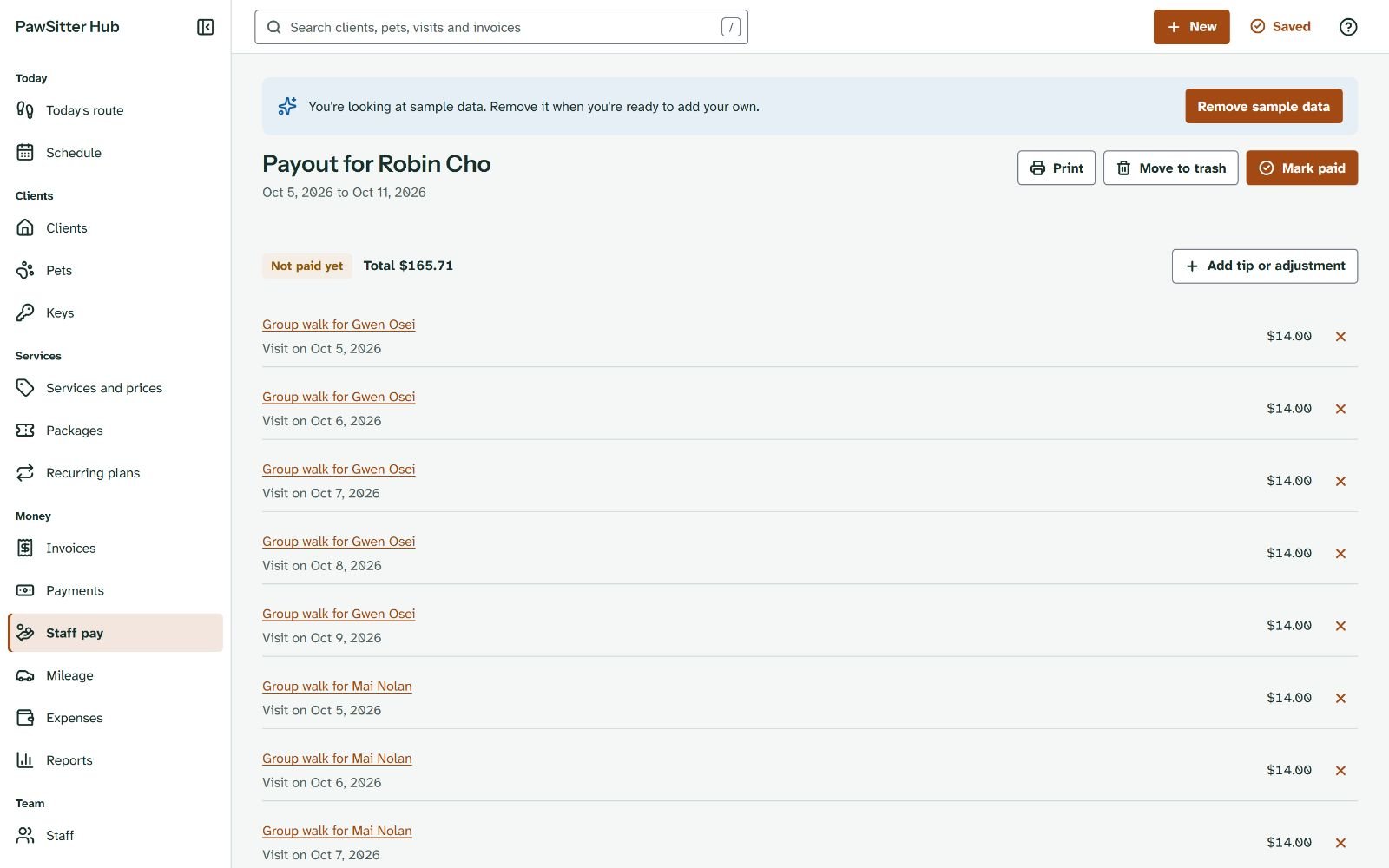
Staff pay screen
RentRoster Pro: landlords with 1 to 20 units
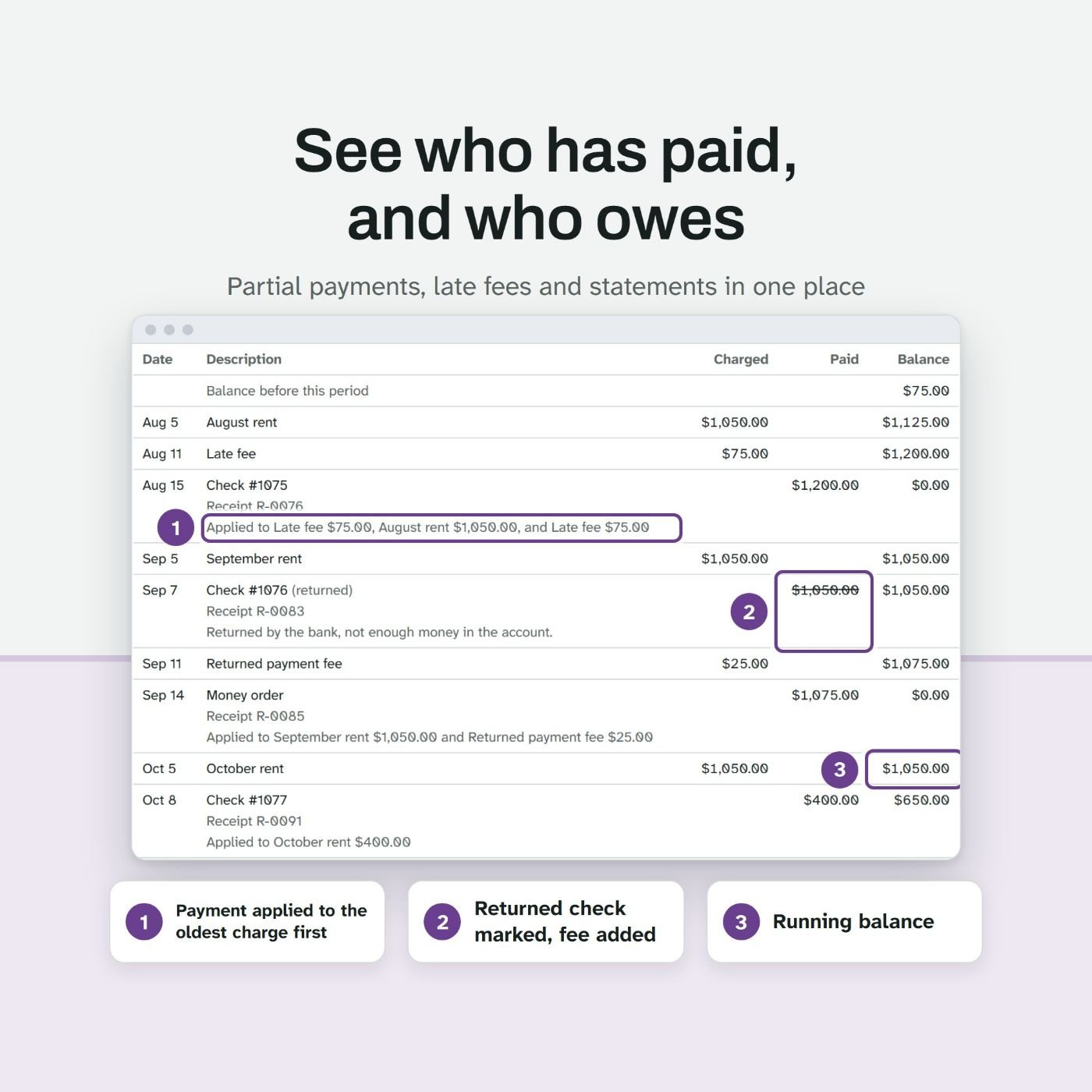
It shows who has paid, and charges late fees by the landlord's own rule
A small landlord's records hide in a spreadsheet tab, a notebook and texts that say "sent it Friday". This app opens on the rent roll: one row per unit, marked paid, due, partial, late or vacant, with what is owed, for any month.
Late fees come from the lease: grace days, a flat amount or a percent of the late charge, one fee per due date. The landlord enters the limit where they rent, as a flat cap, a percent, or the lesser or greater of the two, and every fee the app works out stays under it. Fees wait on a review list with the working shown, and nothing posts until the landlord picks it.
Payments go to the oldest charge first, with fees first or last, as the landlord sets. A partial payment leaves the rest open. A bounced check puts the charges back and adds the returned payment fee. Every payment gets a numbered receipt.
- Rent every week, every 2 weeks or every month, with part months charged by the day or skipped
- A rent increase planner that finds the first start date from the notice days
- Security deposits with interest, deductions, the return deadline and a printed statement
- Move-in and move-out inspections by room, with photos and a comparison that marks what got worse
- Repair requests with vendors, costs and repeats, such as furnace filters every 3 months
- Expenses by property and tax line, and vendor totals checked against the reporting limit you set
- Ten reports, including a year-end summary with the contractor list and the deposits held
- The limit: no online rent collection, no tenant portal, no legal notices and no legal or tax advice. It applies the numbers the landlord enters.
More screens of RentRoster Pro
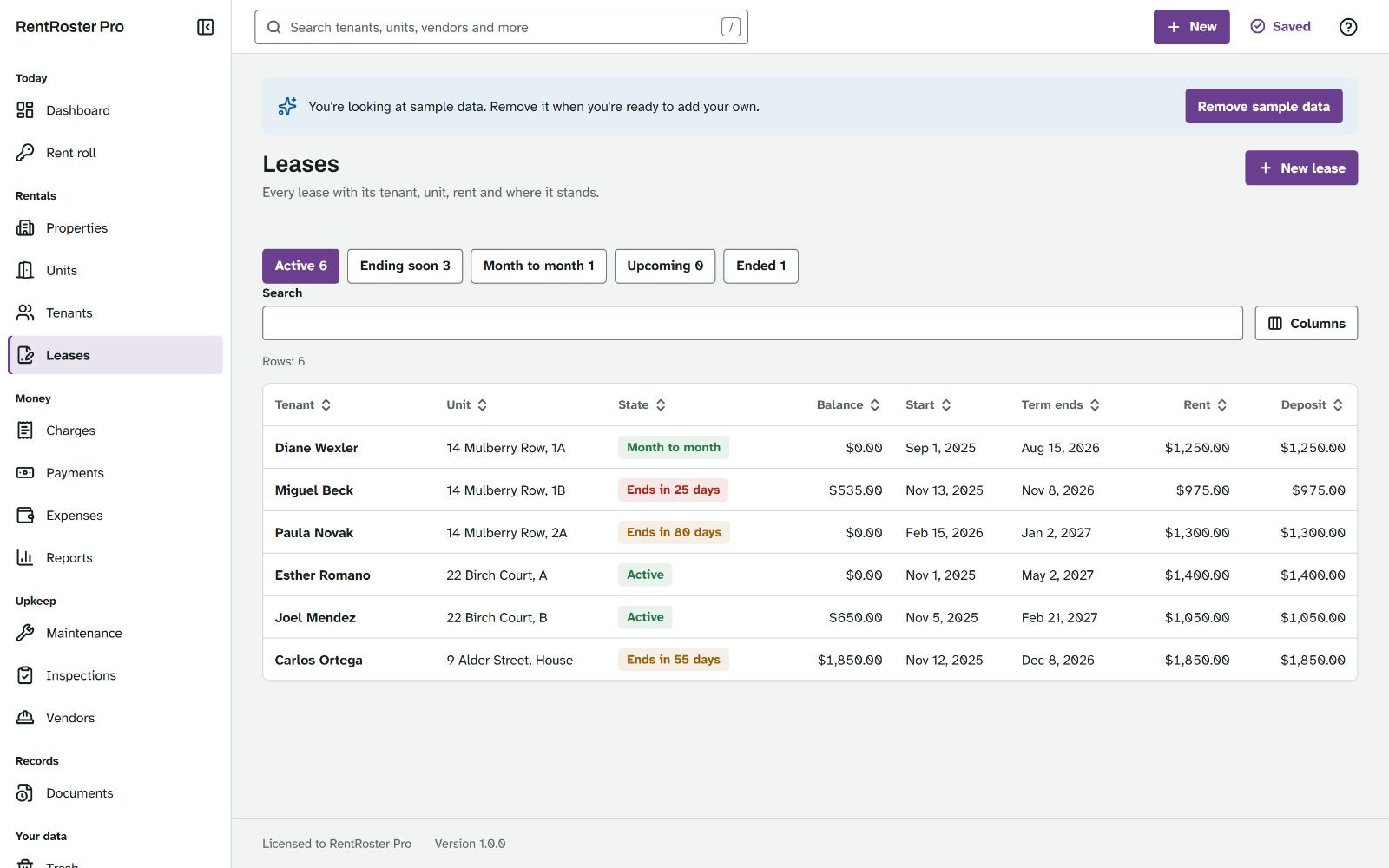
Leases screen 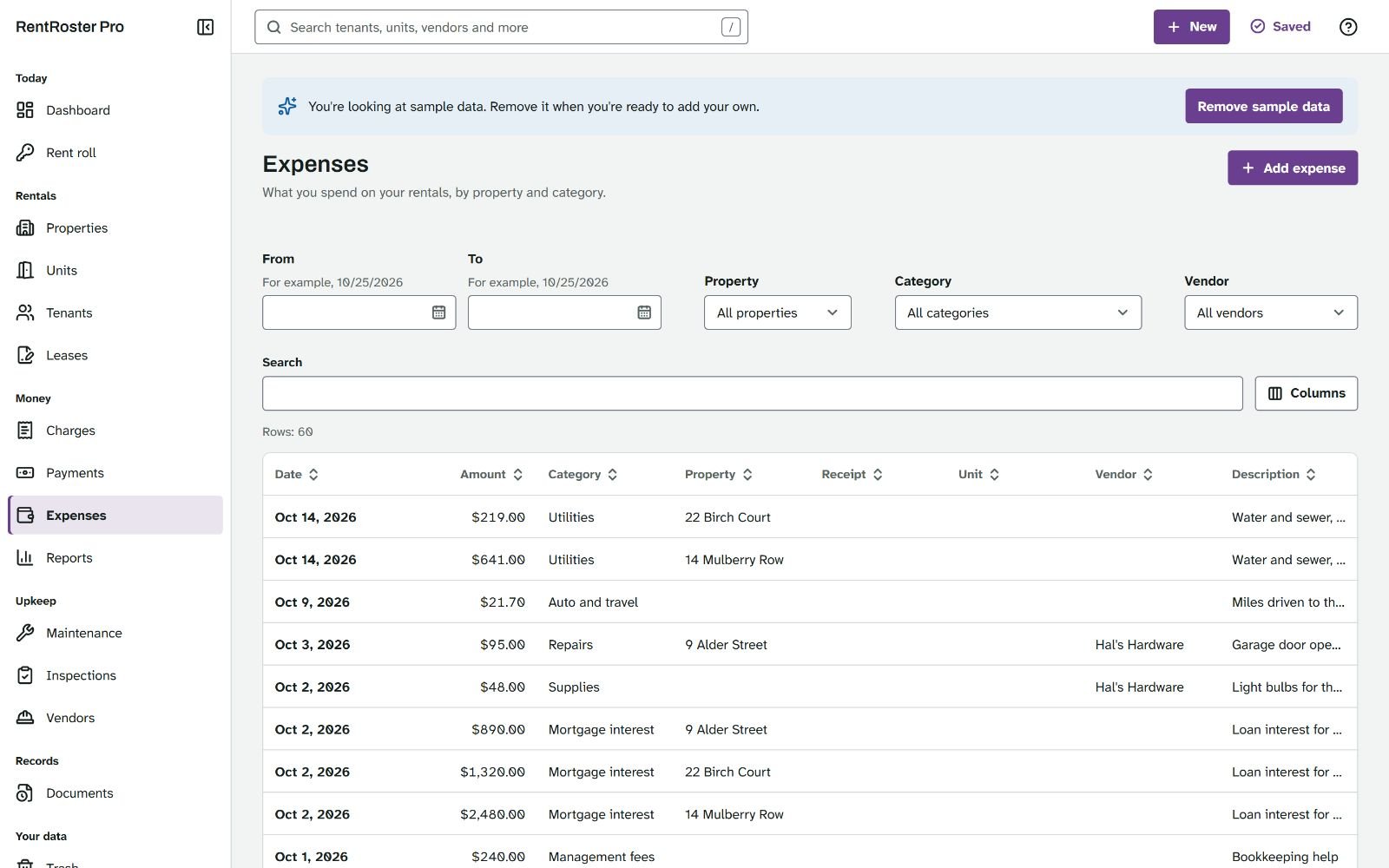
Expenses screen 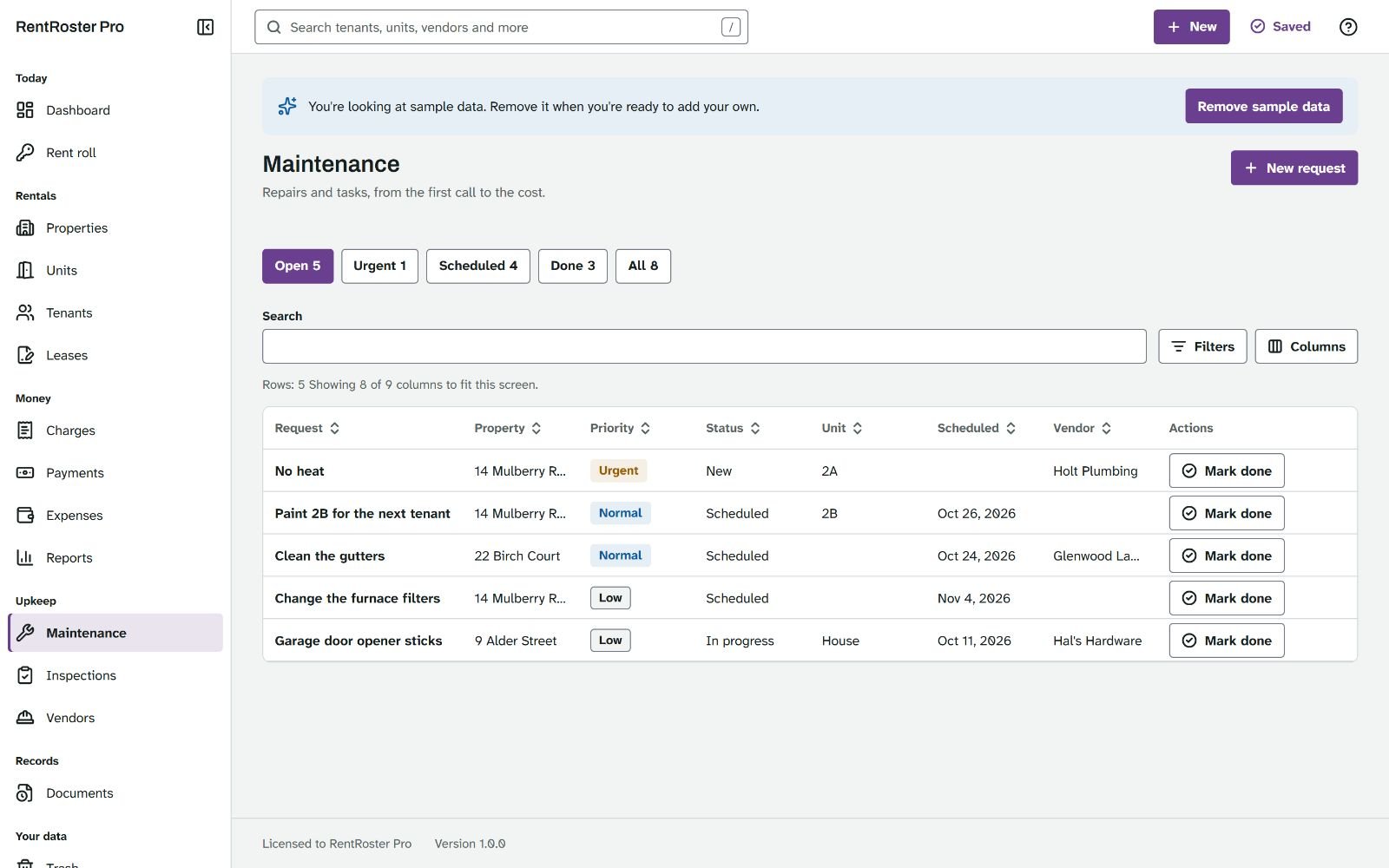
Maintenance screen
SprayCrew Pro: pressure washing and window cleaning
It prices the job in the driveway and plans the week around the rain
The quote builder is made for the driveway. Each surface gets a line with its service, measurement, rate and amount. Measure adds up rectangles and lengths, such as 40 x 8 plus 30 x 8. Add windows counts by floor and pane, with outside, inside, screens and tracks. Optional extras stay out of the total until the customer picks them, and the live total shows the discount, minimum charge, trip charge, tax, deposit and an estimated margin.
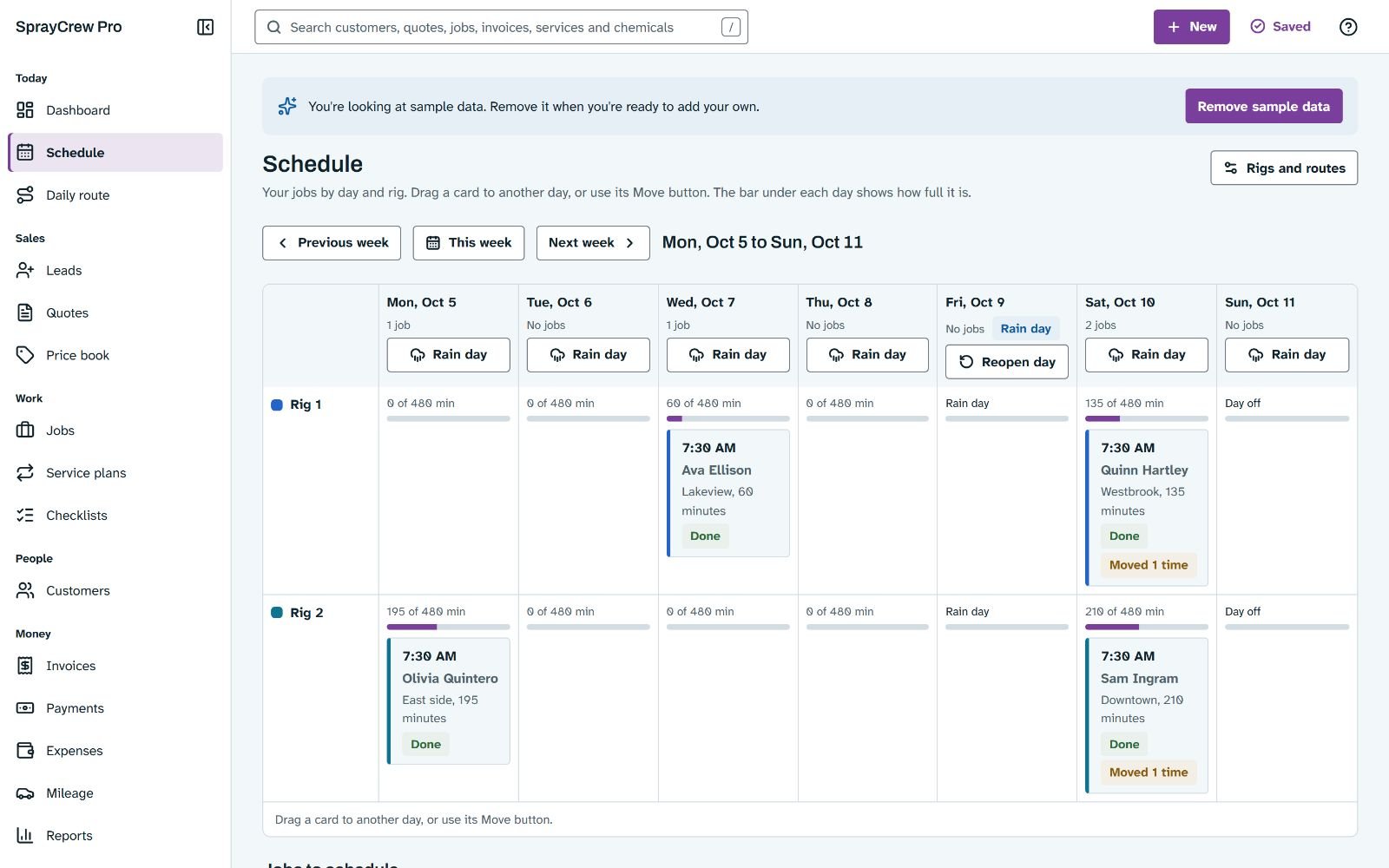
The schedule has a lane for each rig and a load bar under each day that turns red when the day runs over. When it rains, Rain day closes the day and moves the jobs that need dry weather in one step, then gives the owner a call list with each customer's new day.
- A price book per square foot, linear foot, each, hour or flat, with minimums and how much a crew does in an hour
- Jobs with checklists, before and after photos side by side, and a cost and profit panel
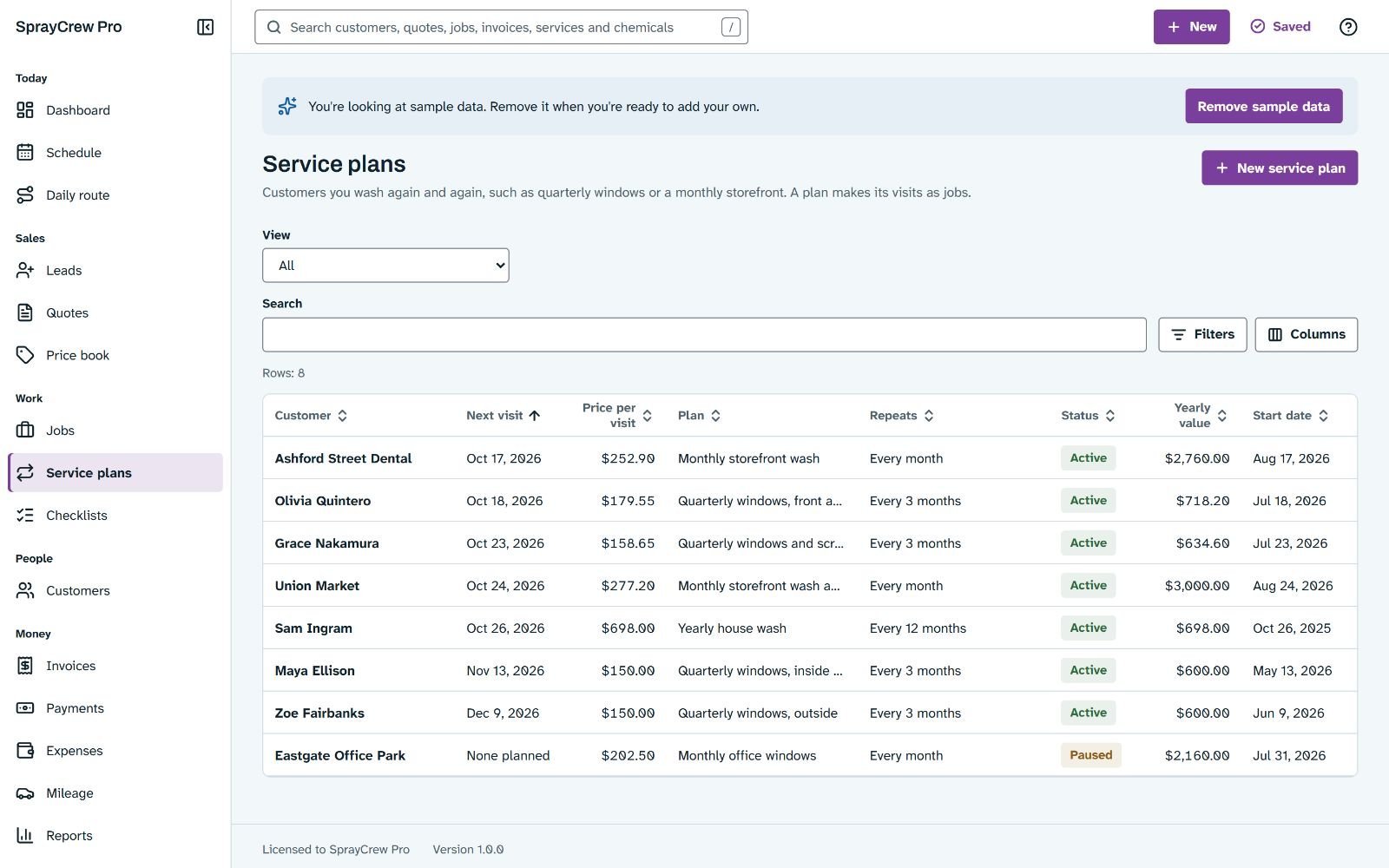
- Service plans for customers who rebook every few weeks or months, and a due for service list
- Chemicals with pack prices, stock and reorder levels, mixes used in one click, and safety data sheet files
- Equipment hours, with service tasks due by hours or by months
- Invoices with deposits, aged receivables, and a mileage log that uses the rate in force on each trip's date
- Nine reports, from profit per job to quote win rate
- The limit: no texts, emails, card payments or map measuring, and it never recommends a chemical strength.
More screens of SprayCrew Pro
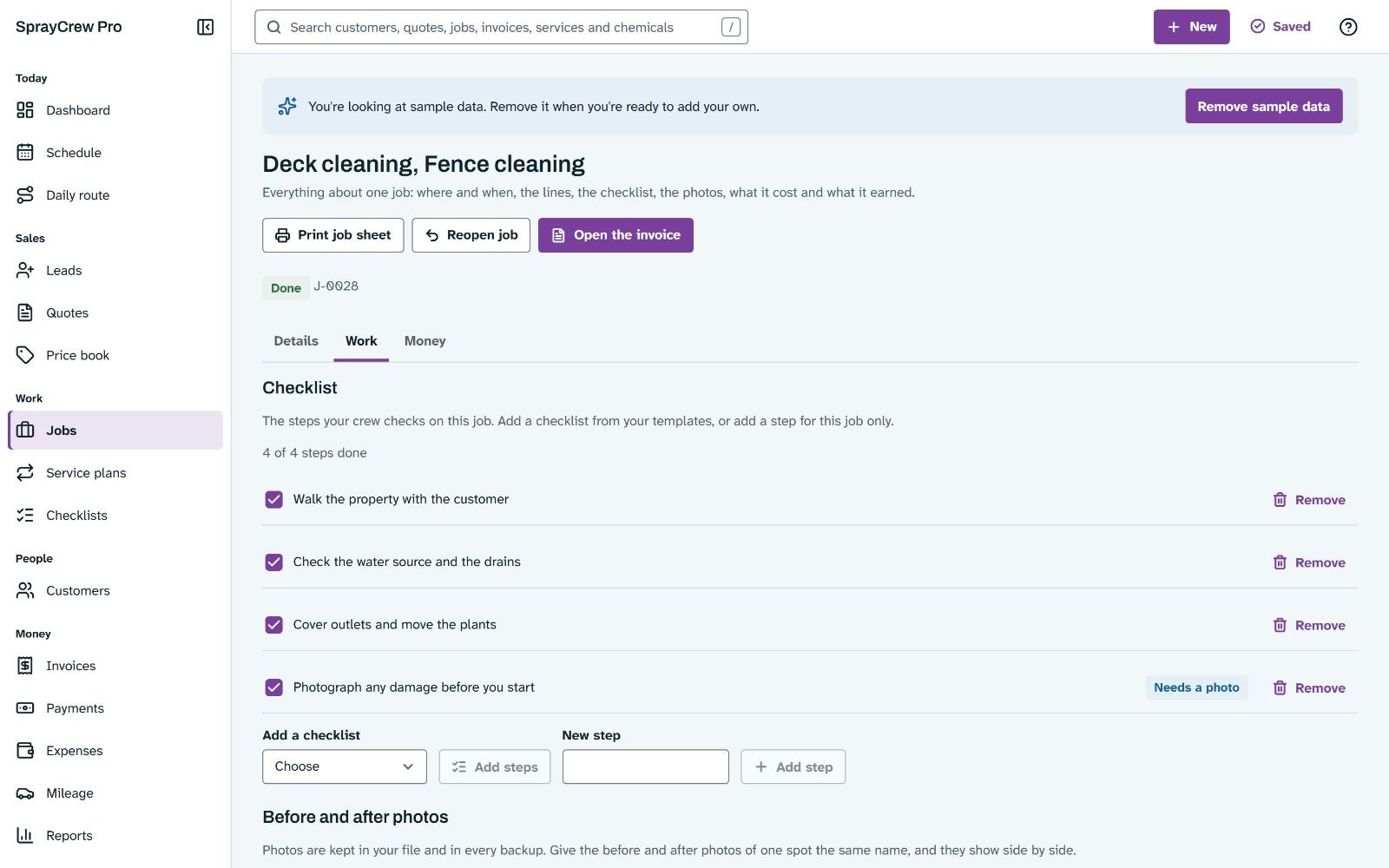
Job screen 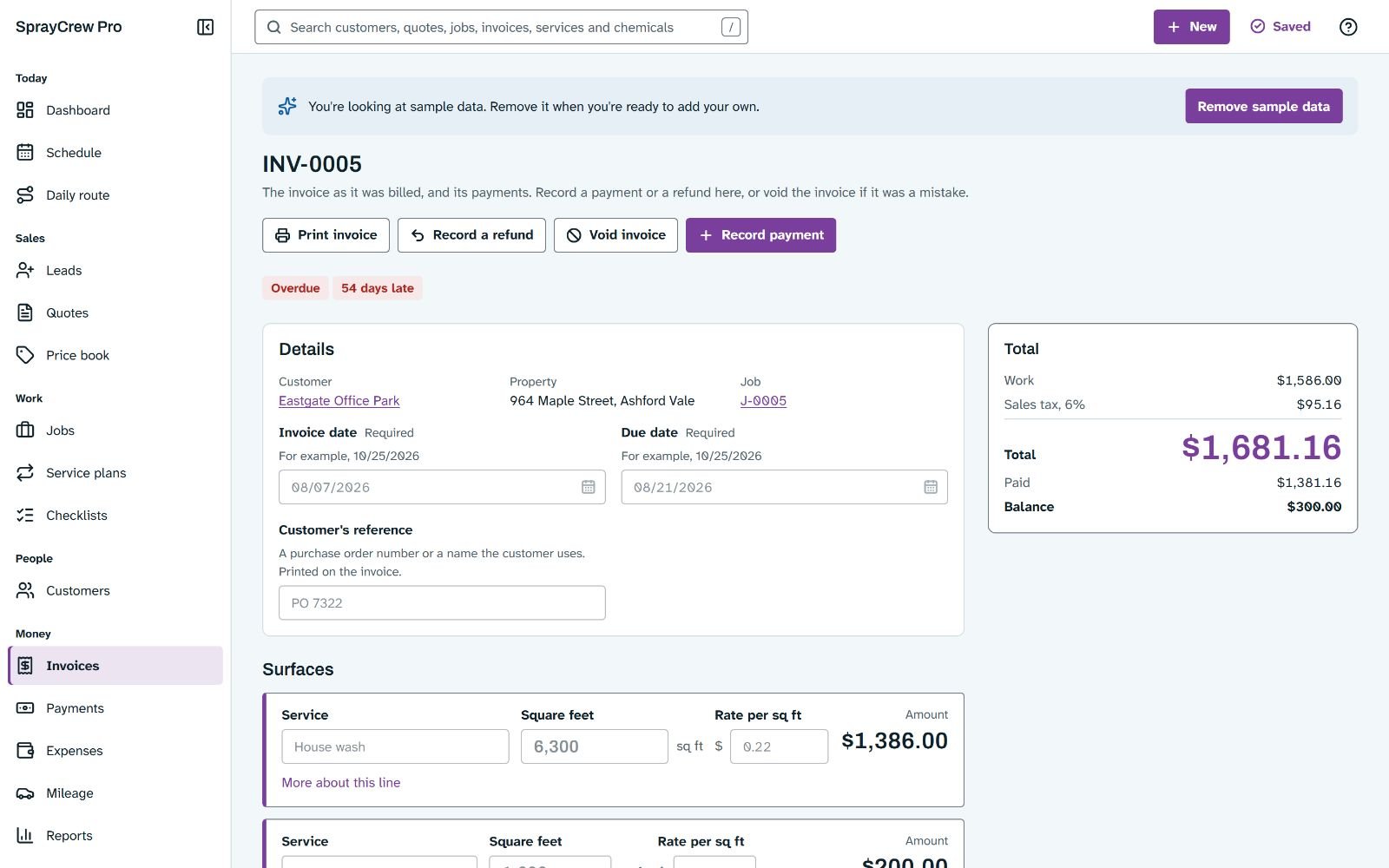
Invoice screen 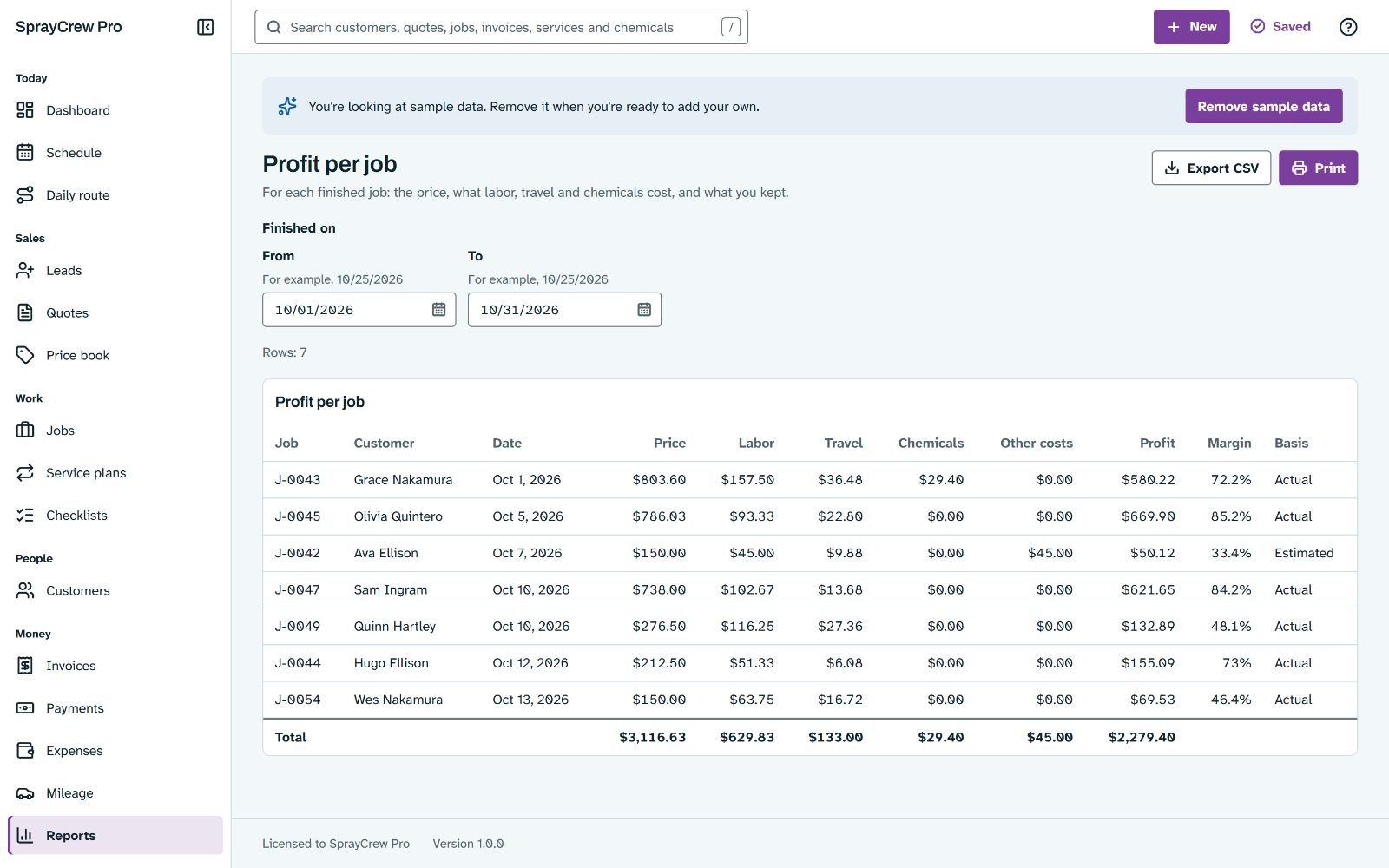
Profit per job report
Examples of use: one ordinary day in each trade
These are made-up situations, written to show what each app does on a normal working day. They are examples, not customer stories.
Party rentals: Friday evening, a full inbox
A parent asks about the castle and 40 chairs for a Saturday birthday. The owner types the date, the items and the ZIP code into Quick reply. The castle is free, but the chairs are 6 short, so no answer is offered yet. She sets the chairs to the 34 that are free, copies the answer with the total, the delivery fee and the deposit, and saves it as a hold. On Saturday the run sheet shows the stop, its window, the access notes and the balance to collect.
Home bakers: a wedding cake quote at the kitchen table
A couple asks for a wedding cake for 120 guests, and one of them must avoid tree nuts. The baker builds the order from her products and sizes. For each item the app shows the cost, a suggested price at her target margin and the margin at the price she picks. The avoid list marks the almond filling in red, so she swaps it before she sends the quote. When the couple pays the deposit, she records it, and the order sits on the board under its due day.
Pet sitters: a holiday week with two walkers
A client books a five day trip over a holiday. The owner plans the stay in one step, three visits a day, and the holiday surcharge comes from her own rule. One walker takes a day off, so his visits show as conflicts, and Reassign a day hands them to the other walker with one undo. Each visit ends with a report card, a few photos and a message to copy into a text. On Friday, Bill visits drafts the invoice and Pay staff works out both payouts, with tips and mileage.
Small landlords: the 6th of the month
Rent was due on the 1st. The rent roll shows five units paid, one partial and one late. The partial payment went to the oldest charge, so the tenant's statement shows exactly what is still open. The late fee review lists one fee from the lease rule, already held under the limit the landlord entered, with its working shown. She checks it and posts it. A tenant who paid in cash asks for proof, and she prints a numbered receipt with her logo.
Washing crews: rain on Tuesday
On Monday evening the forecast turns. The owner marks Tuesday as a rain day, and the jobs that need dry weather move to the next open days in one step, while indoor work stays put. The call list shows who to phone and each customer's new day. On Wednesday, at a driveway, he measures 40 x 8 plus 30 x 8, adds the walkway and offers gutter brightening as an optional extra. The customer picks it on the spot, and Accept and create job puts the work on the schedule.
One payment of $17. 30 day money back guarantee.
Secure checkout through WarriorPlus. 30-day refund, see the policy.
Real screens
More screens, straight from the apps
RentRoster Pro: the rent roll, a real screen of the app
SprayCrew Pro: quote screen BakeBook Pro: recipe screen PawSitter Hub: invoice screen
Built into every app: the parts that protect a business's records
All 5 apps run on one shared engine. These features come with each of them, and each one has its own tests.
One file, nothing to install
Each app is a single HTML file. Double click it and it opens in Chrome, Edge or Firefox on Windows or Mac.
No internet connections
No account, no server, no tracking. A security policy inside the file blocks network access, and our test runs check it in every browser.
Backup files without remembering
In Chrome and Edge the app writes a backup file to a folder you choose. After a browser restart, one click turns it back on. Other browsers get reminders.
10 daily snapshots
Go back to an earlier day with a preview first, and undo the restore if you change your mind.
Undo and a 30 day trash
Undo the last 20 changes. A deleted record waits in the trash for 30 days.
Every save is checked
Each save is read back to make sure it landed, and a second copy lives inside the browser.
A sample business to learn on
Start with made-up records, then remove them in one click without touching anything the owner entered.
The owner's name on every page
Business name, logo, address and tax ID on documents and reports, printed on A4 or Letter.
Spreadsheet import
Bring in an existing spreadsheet with a preview first and an undo after.
Search on every screen
Records show up as you type. Press / to jump to the search box. Lists stay fast with thousands of records.
Their look, their region
Light and dark themes, custom colors with a contrast warning, and a currency, date format and paper size that follow the country.
Help on every screen
A help button on every screen, keyboard shortcuts with a visible focus ring, and automated accessibility checks in the test runs.
One payment of $17. 30 day money back guarantee.
Secure checkout through WarriorPlus. 30-day refund, see the policy.
The listing kit: 10 images for every app, made from its real screens
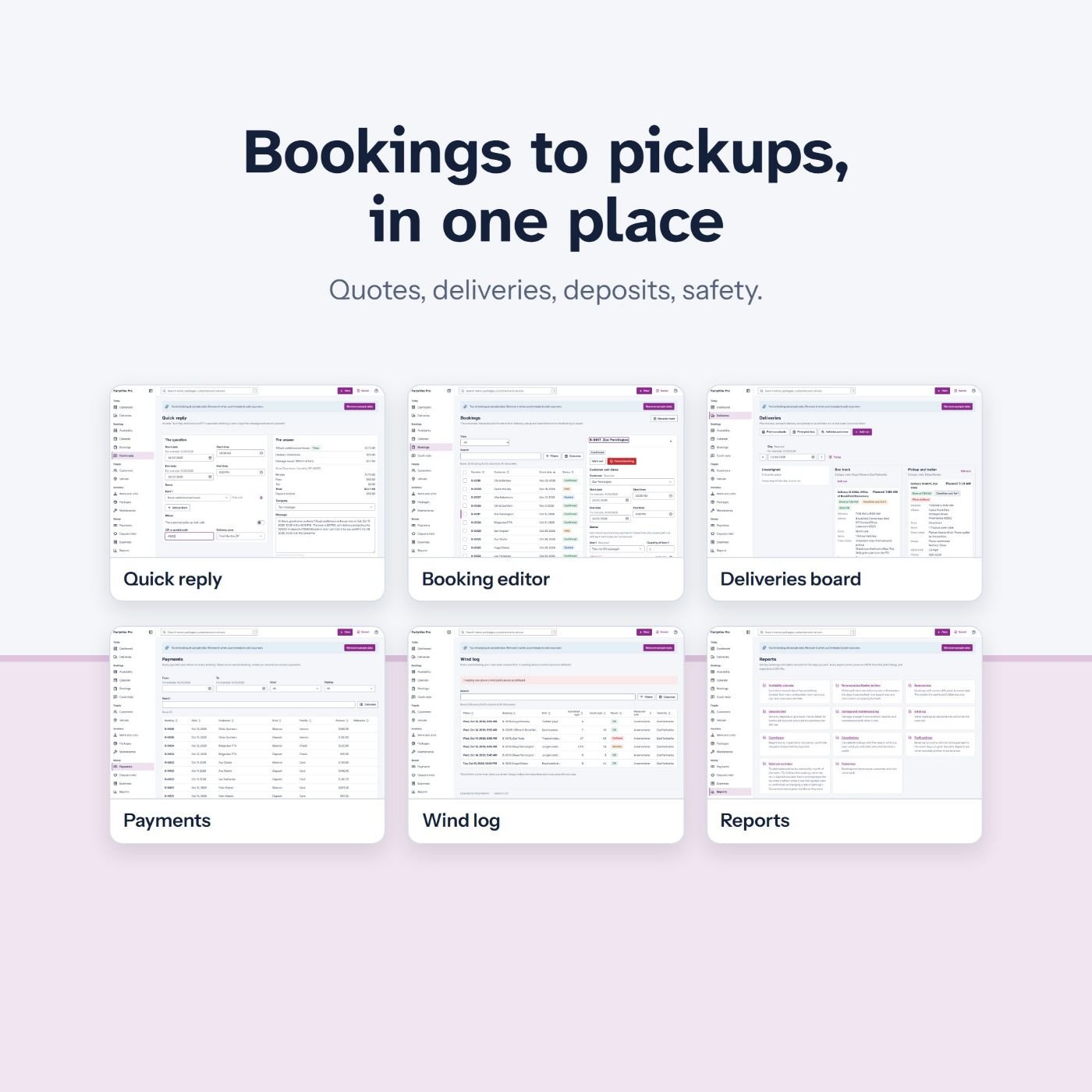
Party rentals: everything included Home bakers: what it is 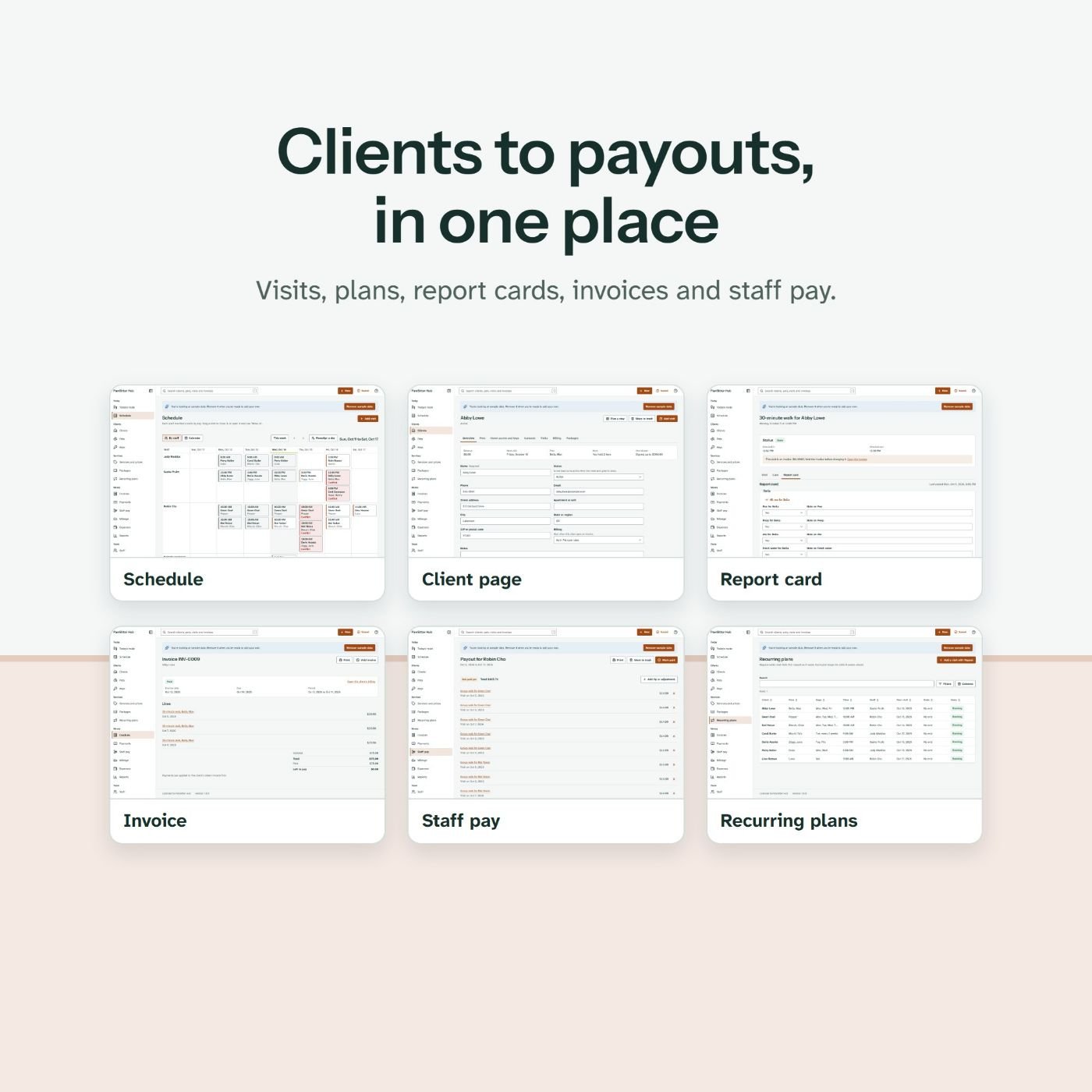
Pet sitters: clients to payouts 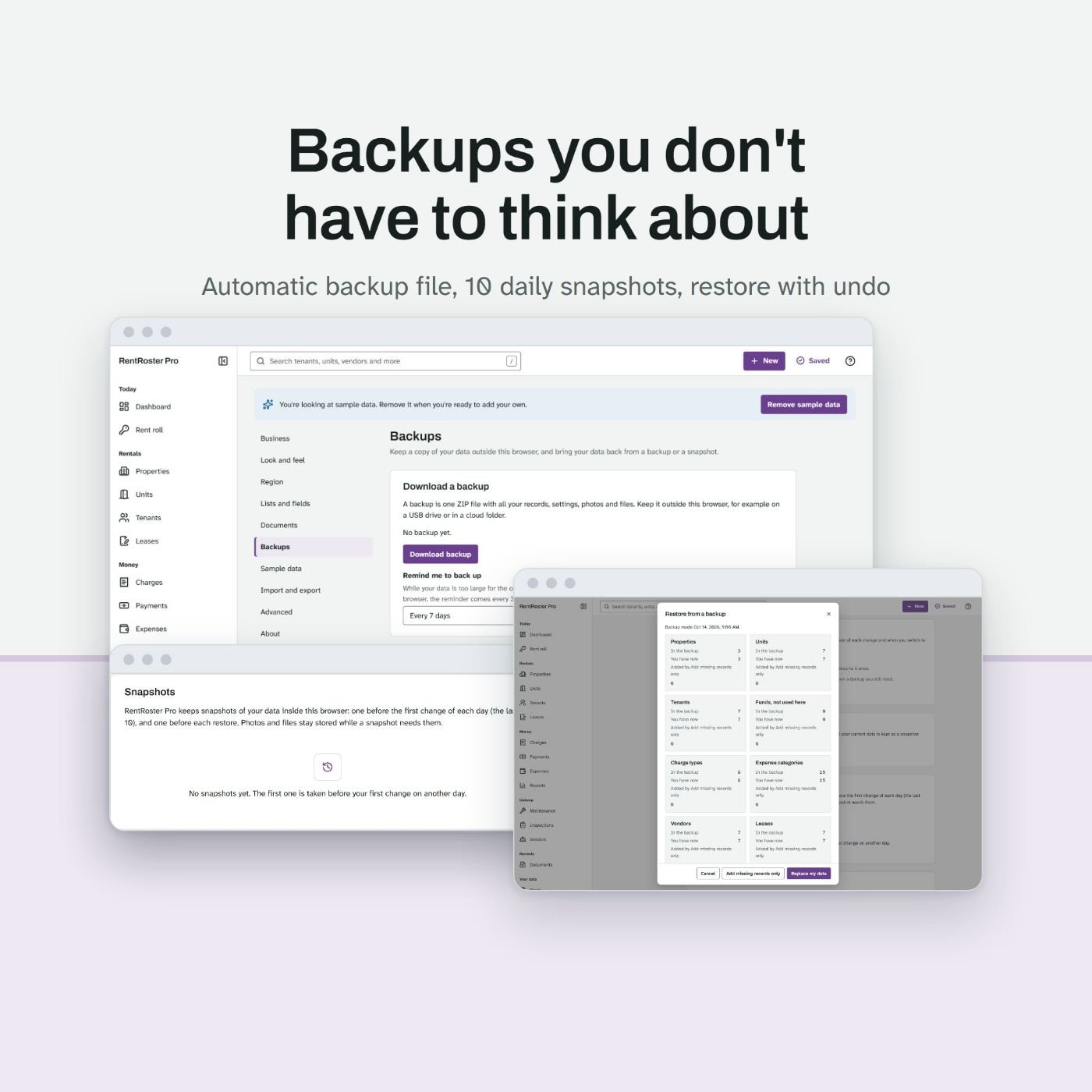
Landlords: backups built in 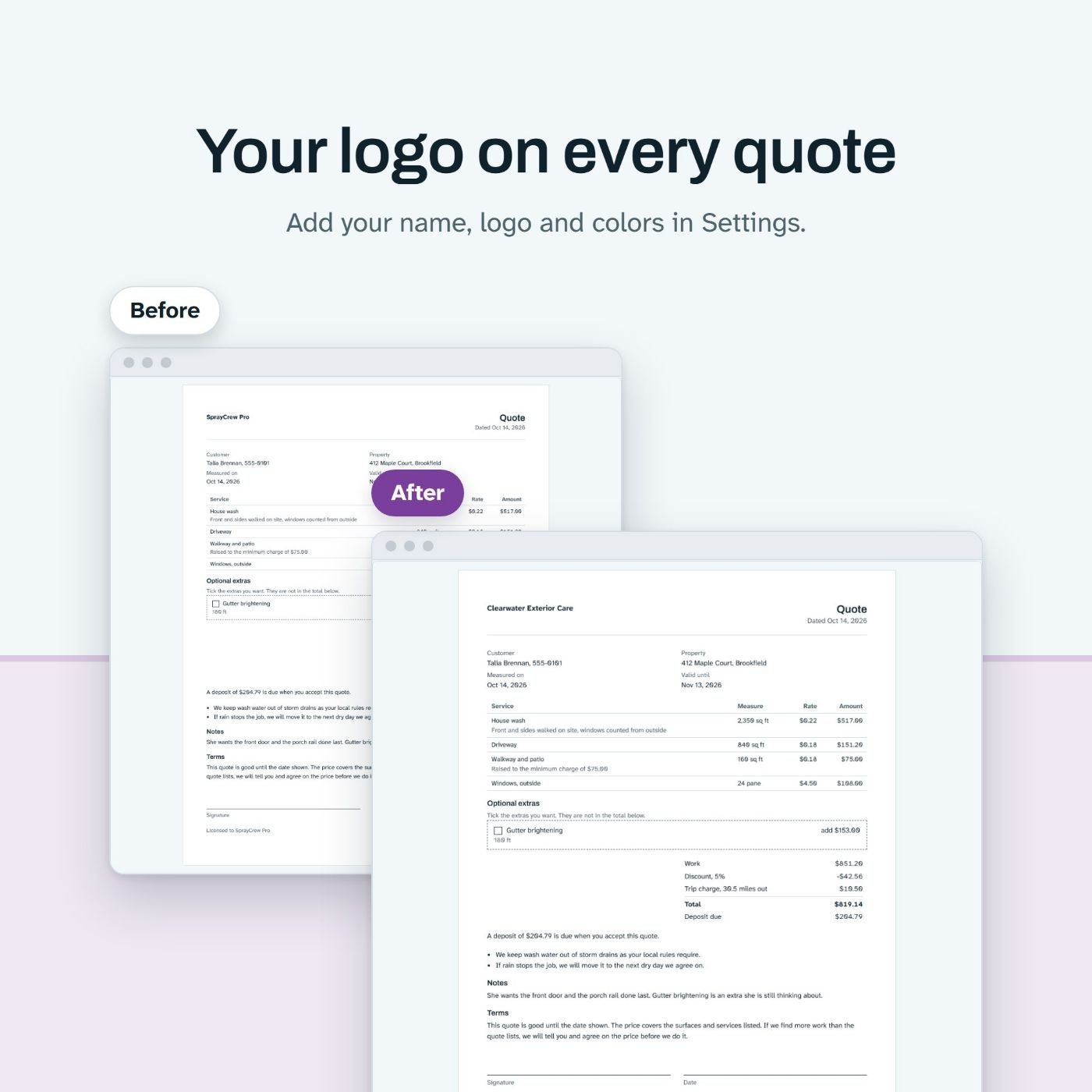
Washing crews: a logo on every quote 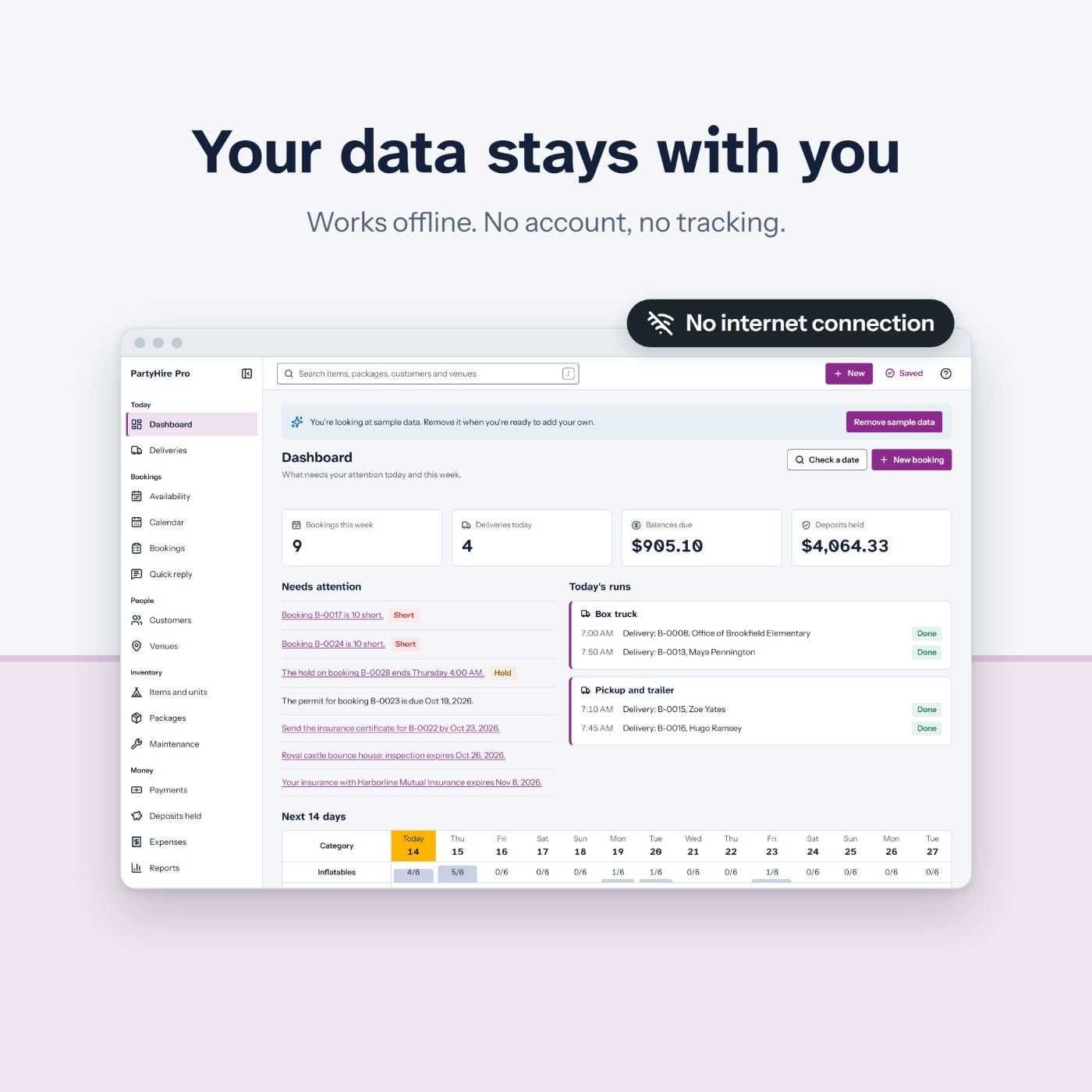
Party rentals: the data stays with the owner SprayCrew Pro: Quote on site, not at night 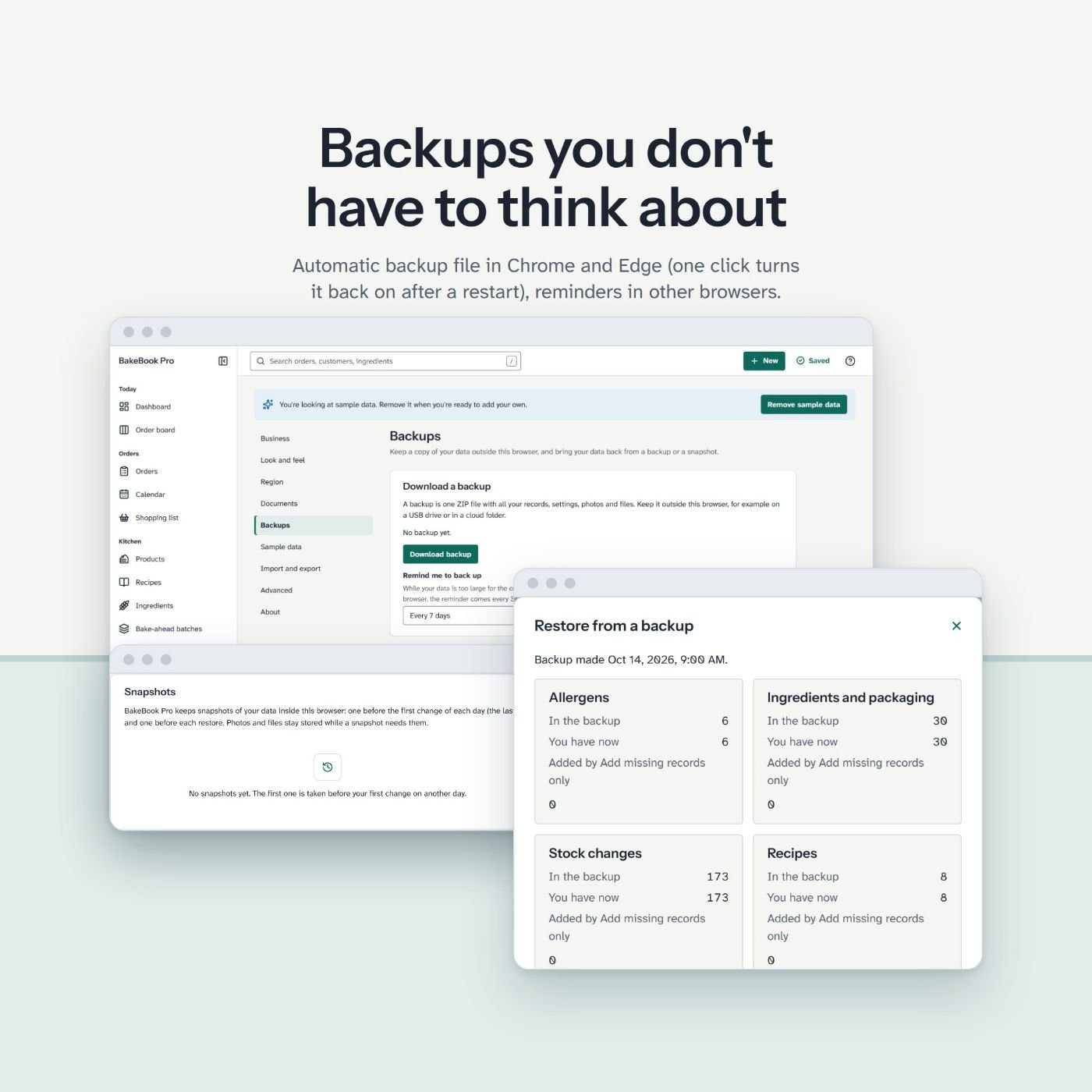
BakeBook Pro: Backups you don't have to think about 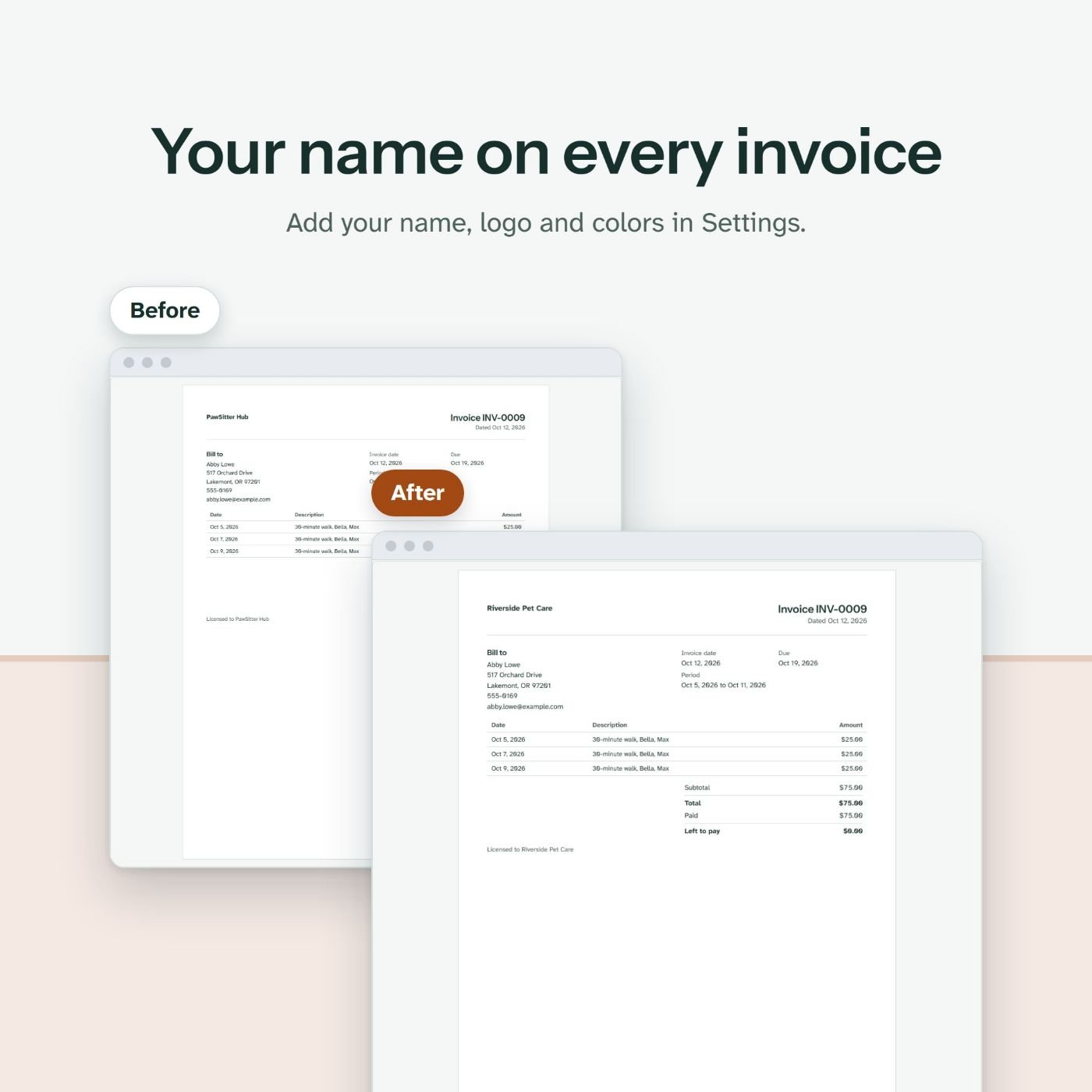
PawSitter Hub: Your name on every invoice 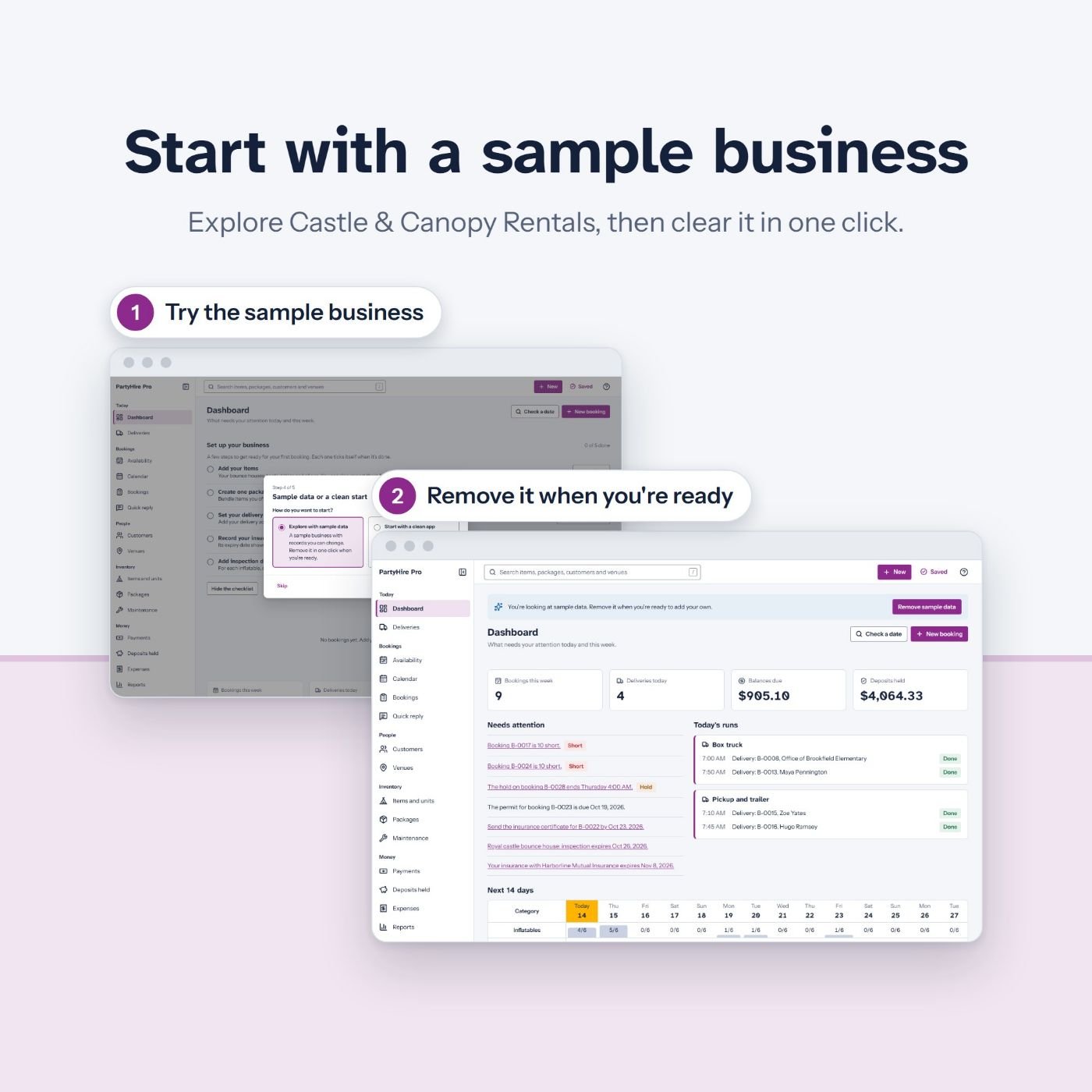
PartyHire Pro: Start with a sample business
The guides your customers get, with no company named
Every app comes with two guides written for owners who are not technical. They name no company, so they read as yours.
Start Here, 2 pages
How to open the file and where to keep it, the one rule that keeps the records safe (keep the file in the same folder under the same name), how to turn on backups in the first minute, and where to get help next.
User Guide
Getting started, where the data lives and how backups and restore work, moving to another computer, settings and the logo, the sample data, importing a spreadsheet, printing and PDFs, updating to a new version, and a step by step check for the day an owner thinks the data is gone.
A chapter for each part of the app
Numbered steps with screenshots for every module. In the party rental guide, for example, the chapters run from setting up the inventory and answering inquiries with Quick reply to deliveries and run sheets, condition reports, the wind log and payments.
Help inside the app
Each screen has its own help text behind the help button, and an empty screen says what to do first. Your customers find answers before they write to you.
Who Offline Apps Fortune is for
You do not need to be technical. You need a way to reach buyers: a store, an audience, or a phone full of local contacts.
You run a digital store
Payhip, Gumroad or your own site. Add a software line next to your templates and printables, under your own brand.
You freelance for small businesses
Web design, social media, bookkeeping or admin help. Offer your clients a tool, then charge for setting it up.
You know people in these trades
A cousin with bounce houses, a neighbor who bakes, a friend who walks dogs. Your first demo is one message away.
You own one of these businesses
Run your own work in the app, then offer it to others in your trade groups, under your brand.
You want to sell software before you build it
Learn what buyers ask, pay and need with a finished product, before you spend months making your own.
You want a local service business
Owners pay for someone who sets things up. Sell setup, data entry and training around the apps.
Who you can sell to: 5 trades with the same headache
Each app was written for one kind of business, in that trade's own words.
Party and event rentals
Bounce houses, water slides, tents, tables, chairs and decor. Teams of 1 to 10 who take bookings by phone, text and Facebook.
Home bakers
Cottage bakeries, custom cake and cookie makers, cupcake sellers and market bakers, alone or with one helper.
Pet sitters and dog walkers
Solo sitters, walkers with a route, small teams, cat sitters and house sitters who hold their clients' keys.
Small landlords
A duplex owner, a landlord with a few houses, an accidental landlord, or a small investor with up to 20 doors.
Exterior cleaning crews
Pressure washing, soft washing, roofs, decks, concrete and windows, from one rig up to three crews.
Read this before you buy
Who should not buy Offline Apps Fortune
If you want money without work. The apps are finished, but selling them is still work: a store page, messages to owners, demos and answers to questions. Nothing here sells itself.
If your buyers need online features. Online booking, card payments, client portals, phone apps with GPS and data shared between devices are not in these apps.
If you want to change how the apps work. This bundle has the finished apps and the rebrand tool, not the source code. You can change the brand, not the screens or the features.
If you plan to sell where resold products are banned. Some marketplaces restrict digital products that someone else made. Read the rules before you list.
One payment of $17. 30 day money back guarantee.
Secure checkout through WarriorPlus. 30-day refund, see the policy.
Build it yourself, or start with finished apps
Here is what one app took us, measured on our own builds, next to what you get today.
Build one app yourself
- Write the spec. Ours run 9,000 to 18,000 words per app, on top of a 25,000 word engine spec.
- Build it. Our measured cost was 15 to 20 hours of AI agent work per app, before anyone's review time.
- Prove it. Write the tests that show a backup restores and an undo undoes. We have more than 4,500.
- Make saving safe: backup files, snapshots, trash, undo and a checked save, in every browser you support.
- Make the listing: images, text and a video.
- Write the guides your customers will need.
- Write a license for resale and one for end users.
- Then do it all again for the next trade.
Start with Offline Apps Fortune
- 5 finished apps, each open in a live demo before you buy
- A rebrand tool inside each app: one form and one download
- More than 4,500 tests, already written and run
- Backup files, snapshots, trash and undo, built in
- 10 listing images, a listing text and a 15 second video for each app
- A Start Here guide and a User Guide for each app, with no company named
- A reseller license, and an end-user license template to adapt with your lawyer
- One payment of $17
Example math with sample numbers
The numbers below are examples we picked to show the arithmetic. They are not results, targets or averages, and they are not what we expect you to sell. Do the same sums in a notepad with your own prices.
Example
| Your price for one branded app download (example) | 37 |
|---|---|
| Downloads sold (example) | 5 |
| Share of each sale you keep after store fees, in percent (example; look up your platform's real fees) | 90 |
| Setup jobs for local businesses (example) | 1 |
| Your price for one setup job (example) | 150 |
| Example total before taxes, other costs and your time | $316.50 |
This is arithmetic on the numbers you type. It is not a forecast and not a promise. This is our first launch, so we have no sales results to show you, and you may sell nothing at all. What you earn depends on your market, your offer, your prices, your time and your effort.
Your first 14 days, from the How to sell them guide
Days 1 and 2: your brand and your first app
Write your brand details once: name, logo, color, font and support email. Rebrand your first app, then run the checks from the rebrand guide: a test record survives closing the browser, a deleted record comes back from the trash, and a backup opens its restore preview.
Days 3 to 7: your store
Take five screenshots of your branded copy. Open your store account and add your payout details. Create the product, upload the ZIP, write the page with the checklist, buy your own product as a test, then publish and ask five people you know for honest feedback.
Days 8 to 12: local owners
List 30 businesses in one trade. Send 10 messages on day 9 and 10 more on day 10 with the outreach scripts, run your first demo or record a 3 minute screen video, and follow up once with everyone who has not answered.
Days 13 and 14: look back
Fix what the feedback showed: the wording, the price, the images or the first screen. Count your messages, replies, demos and sales, keep what worked, and rebrand your second app.
One payment of $17. 30 day money back guarantee.
Secure checkout through WarriorPlus. 30-day refund, see the policy.
Your 4 bonuses
Bonus 1
Bonus 1: Local Business Outreach Scripts
Direct messages, emails and call scripts for party rentals, home bakers, pet sitters, landlords and washing crews, with follow ups. Each one opens with a question about the owner's business, not a pitch, and none of them promises a result. The rules for every message are inside: say who you are, keep it short, respect a no, and follow the rules for unsolicited messages where you live.
Bonus 2
Bonus 2: Pricing Cheat Sheet
How to price a branded app and the services around it. Pick a pricing shape (one price, three tiers, bundles or setup only), check how much support time each sale costs you, then test your price in real conversations. Every number is a labeled example, and it shows what an honest discount looks like.
Bonus 3
Bonus 3: Client Onboarding Checklist
A step by step checklist for the first hour, week and month with a new client: the file in a safe folder, the backup set up first, their logo and details, the first five real records, a normal day walked through, and the check-in dates after.
Bonus 4
Bonus 4: Demo Day Script
A full plan for showing the apps to owners: what to prepare, a two minute discovery, the five minute demo screen by screen, honest answers to the usual questions and a close that offers a next step. It works in person, on a video call or at a market stall.
Everything you get with Offline Apps Fortune
Bonus 1
5 white-label apps
PartyHire Pro, BakeBook Pro, PawSitter Hub, RentRoster Pro and SprayCrew Pro. Each is a single HTML file with the rebrand tool inside.
Bonus 2
A listing kit for each app
10 listing images made from the app's real screens, the listing text and a 15 second promo video.
Bonus 3
Guides for your customers
A Start Here guide and a User Guide for each app. They name no company, so you can pass them on as yours.
Bonus 4
How to rebrand an app
Every step of the rebrand, the checks to run on your branded copy before a customer sees it, and a troubleshooting list.
Bonus 5
How to sell them
A store setup plan, a product page checklist, price examples, a five minute demo script, ten outreach messages and a 14 day launch calendar.
Bonus 6
The 4 bonuses
Local Business Outreach Scripts, the Pricing Cheat Sheet, the Client Onboarding Checklist and the Demo Day Script.
Bonus 7
Reseller license
Your right to sell branded copies to your own customers, at your price, and to charge for setup, training and support.
Bonus 8
End-user license template
A license for your customers, with your seller name to fill in.
Get Offline Apps Fortune today
$17
One payment. No monthly fee, for you or for your customers.
- 5 white-label apps, each with the rebrand tool inside
- A listing kit for each app: 10 images, the listing text and a 15 second promo video
- A Start Here guide and a User Guide for each app
- How to rebrand an app, and How to sell them
- 4 bonuses: outreach scripts, pricing cheat sheet, onboarding checklist, demo day script
- Reseller license and end-user license template
Secure checkout through WarriorPlus. Your download page opens after checkout.
Secure checkout through WarriorPlus. 30-day refund, see the policy.
Covered by our 30 day money back guarantee, like every upgrade you add in this funnel.
30 day money back guarantee
Buy Offline Apps Fortune. Open the apps, rebrand one, read the guides and try a script on a real owner. If it is not right for you, ask for a refund within 30 days of your purchase and you get your money back in full. The same 30 days cover every upgrade you buy in this funnel, each counted from its own purchase date. I would rather refund you than have you keep a product you do not use.
- Ask by email to support@offlineappsfortune.com, from the email address you bought with.
- You do not have to give a reason. If you share one, we read it.
- The refund goes back through WarriorPlus to the way you paid.
- A refund ends your license: stop selling the apps and delete the files. Customers who bought a branded copy from you before that keep their copy.
Petru, founder of Offline Apps Fortune
One payment of $17. 30 day money back guarantee.
Secure checkout through WarriorPlus. 30-day refund, see the policy.
Questions, with straight answers
What exactly is in the download?
A ZIP with five folders. 1 Apps: the 5 app files. 2 Listing materials: for each app, 10 images, the listing text and a 15 second promo video. 3 Guides: a Start Here guide and a User Guide for each app, plus How to rebrand an app and How to sell them. 4 Bonuses: the four bonus documents. 5 License: the reseller license and the end-user license template. A README tells you where to start. You reach it from a download page after checkout.
What do I need to supply?
A Windows or Mac computer with Chrome or Edge, which the rebrand tool is made for and which can write the automatic backup file. Your brand: a name, a logo file and an accent color. A place to sell: a store on a platform such as Payhip or Gumroad, your own site, or a list of local owners you can contact. And your time, for the rebrand, your product page, your messages, your demos and your customers' questions. We supply the apps, the materials and the method. The selling is yours.
Do I need to code? What can the rebrand tool change?
No code. Open an app and go to Settings, Advanced, Rebrand this app. You can set the product name, the logo, the accent color, a font from the fonts inside the app, the "Made by" line and the support contact. Then click Download branded copy. You cannot change the screens, the features or the rules inside the app, and you do not get the source code. You can change only the accent color, not the other design colors, and the logo shows in the app menu, not on invoices or printouts. A branded copy starts empty, with its own data, apart from the original, so rebrand first and enter real records in the branded copy.
What does the reseller license let me do, and what not?
You may sell or give branded copies to your own customers under your own brand, at any price, and charge for setup, training and support. You may use and edit the listing materials and the guides. You may not share or sell the source code, sell or pass on the right to resell, offer the original unbranded files, put the files where anyone can download them, or make false claims such as income promises, fake reviews or features the apps do not have. Each customer uses a copy for one business or one household. Read the full license in the download before you sell.
Can I sell the apps on Etsy or other marketplaces?
Our license forbids no marketplace. But every marketplace has its own rules, and some restrict or ban digital products that someone else made (Etsy, for one). Read the rules of each place before you list, and stay inside them. You are responsible for where you sell, and a marketplace that removes a listing is a matter between you and that marketplace. Your own store, your own site and direct sales to local businesses are the simplest routes.
Can I see the apps before I buy?
Yes. Every demo button on this page opens that app in your browser, with a made-up sample business inside. The demo is the same app you get in the download. Try a booking, an invoice, a print preview, the trash and the undo. The demo also opens on a phone or a tablet, because its layouts adapt to the screen.
Will I make money with this?
We cannot promise that, and we will not. This is our first launch, so we have no sales results to show you, and you may sell nothing at all. What happens depends on your market, your prices, your offer, how many owners you talk to and how well you look after them. What we can promise is what is in the box: finished, tested apps, the tools to brand them and a clear method to offer them.
Where does a customer's data live, and is it safe?
In the browser on the customer's own computer. The apps make no internet connections, so nothing is sent to us or to anyone else. The data is not encrypted, so anyone who uses that computer and browser profile can open it. The bigger risk is clearing the browser data or changing computers. That is why every app writes an automatic backup file in Chrome and Edge, reminds in other browsers, keeps 10 daily snapshots and keeps deleted records in the trash for 30 days. Teach every customer to turn the backup on. The onboarding checklist makes it step one.
Do the apps work on phones and tablets?
The downloaded file is made for a laptop or a desktop computer. Opened from disk on a phone or a tablet it is not supported, because phones keep the data of local files poorly. The live demo layouts adapt to phones and tablets, so a customer can look at an app on any screen. For daily work, plan on a computer.
Do the apps take online bookings or payments, send messages or sync between devices?
No. They record payments; they take none. They send no texts or emails, though some apps give the owner a ready message to copy and send. There is no online booking page, no client portal and no sync. Each copy keeps its data on the computer where it runs, and a backup file moves the data to another computer. Tell your customers this plainly. It is the other side of having no server and no monthly fee.
If I rename an app, can I still use the listing images and the video?
The images and the promo video show each app under its default name, the one on this page. If you keep that name, use them as they are. If you give the app your own name, take fresh screenshots of your branded copy; the How to sell them guide lists the shots a product page needs. The listing text is yours to edit either way.
Is there a monthly fee? What about updates and upgrades?
There is no monthly fee, for you or for your customers. You buy this version of the apps as it is today, and your license has no end date while you follow its terms. New sets of apps come out as new Offline Apps Fortune products, sold on their own. After checkout you will see optional upgrades, such as Offline Apps Fortune PRO with 15 more apps. You can say no to every one of them; this bundle is complete without them.
What if I get stuck, or want a refund?
Email support@offlineappsfortune.com. Tell us the app, your browser and what you saw, and we will help. For a refund, write within 30 days of your purchase. The same goes for any upgrade you bought in this funnel, counted from its own purchase date. Refunds are paid in full through WarriorPlus.
One payment of $17. 30 day money back guarantee.
Secure checkout through WarriorPlus. 30-day refund, see the policy.
P.S. P.S. You can test all 5 apps right now. Every demo button on this page opens the real app with a sample business inside. Look at it the way a customer would, then decide.
P.P.S. P.P.S. The apps are finished and tested. What they need is a seller: someone with a brand, a store or a list of owners in town. That can be you, for one payment of $17.
P.P.S. P.P.P.S. Your order is covered by our 30 day money back guarantee, and so is every upgrade you add after checkout.
Put your brand on real software today
5 finished apps, a rebrand tool in each one, a listing kit, guides, four bonuses and a reseller license. Local owners get a back office they pay for once. You get a product line with your name on it.
One payment. 30 day money back guarantee. Secure checkout through WarriorPlus.
Secure checkout through WarriorPlus. 30-day refund, see the policy.
TODO: set offers.fe.buyUrl in product.json (Offline Apps Fortune). This note is not in a production build.